Skip to content
View in the app

A better way to browse. Learn more.

BariatricPal

A full-screen app on your home screen with push notifications, badges and more.

To install this app on iOS and iPadOS
  1. Tap the Share icon in Safari
  2. Scroll the menu and tap Add to Home Screen.
  3. Tap Add in the top-right corner.
To install this app on Android
  1. Tap the 3-dot menu (⋮) in the top-right corner of the browser.
  2. Tap Add to Home screen or Install app.
  3. Confirm by tapping Install.
  • Appearance

Join BariatricPal free

  • Ask your own questions
  • Reply and follow topics
  • Message other members
  • No cost, no spam

Sites not loading

When I'm browsing a thread that has more than one page and I change to e. g. the second or third page the page is not loading.

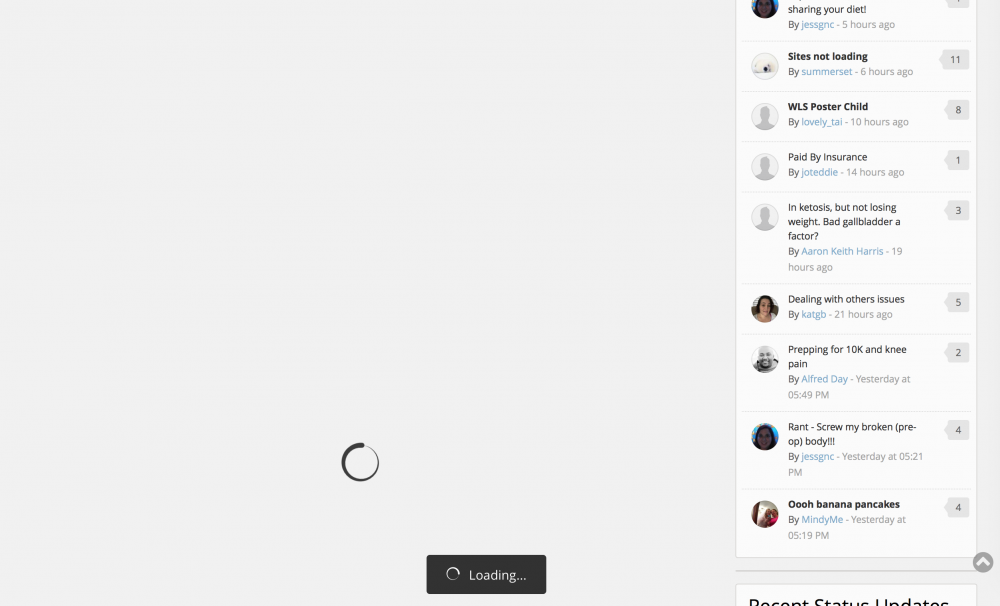
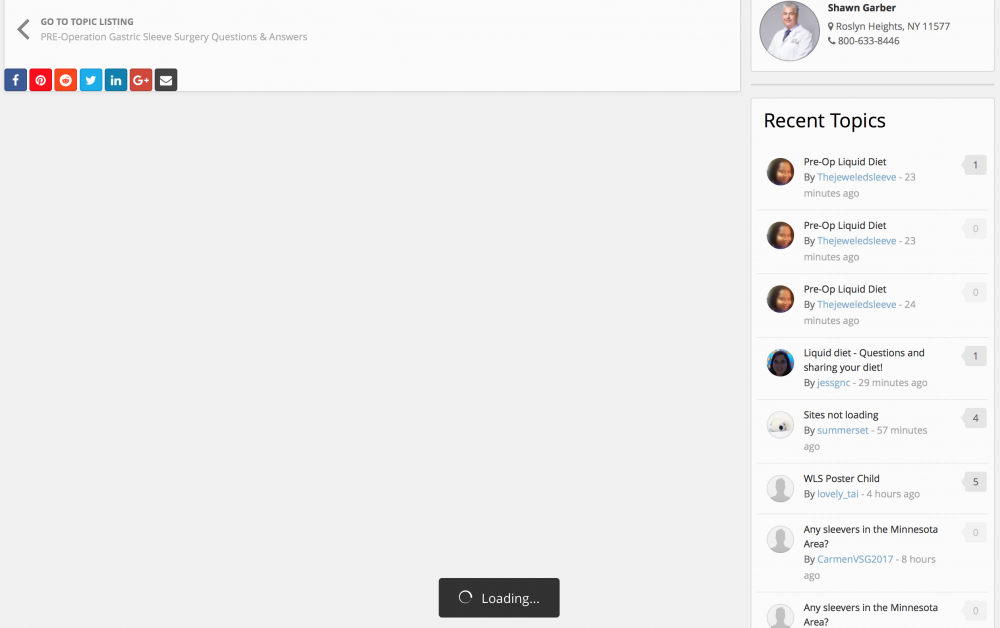
At the bottom of the page is written "loading" but nothing happens. I have to refresh the tab so the page loads.

  • Replies 49
  • Views 5.3k
  • Created
  • Last Reply

Top Posters In This Topic

Most Popular Posts

  • summerset
    summerset

    Oh, it's every thread with more than one page so you can choose. (Here is one example though.) I'm using Safari 10.0.2 on Sierra 10.12.2. It only happens when I'm reading one page of the

  • summerset
    summerset

    Ok, the cookie thing didn't work. No change. This is what the page looks like then.

  • orionburn
    orionburn

    Don't know if it would be related or not, but I've noticed in the past two weeks I get a "bad gateway" error message from time to time. Sometimes that error page will show for a few seconds and then t

Posted Images
Featured Replies

Much better. I can switch from page to page without the loading lockups. I am using IE 11 right now and everything seems to be back to normal.

  • Author

Still the same problem. Oh well...

It's happening again.

@NoMoBand Can you let me know a specific URL where this is happening for your? I'm reviewing the logs and the requests I'm finding have all been successful, so I'd like to try to narrow this down a bit :-)

Thanks!

Don't know if it would be related or not, but I've noticed in the past two weeks I get a "bad gateway" error message from time to time. Sometimes that error page will show for a few seconds and then the forum page loads normally. I can try to get a screen capture of it the next time (if) it happens.

I get both what the OP said and @orionburn, though not at the same time.

Regarding the OP's claim, I'm using Chrome on Win10 Pro. Here's what happens.

1) I click on a thread, the thread page I go on loads fine

2) Within the thread I left click on a different page.. it loads all content except the posts, with a leftover "Loading..." icon at the bottom.

Here is a screenshot:

IceH2JN.png

Only ways to avoid it for me:

1) Right clicking the page link and opening the page in a new tab. Loads fine.

2) Using F5/reload on the page when it's stuck on loading. Loads fine.

3) Throwing objects at the computer screen.

------

Regarding orion's post, I've got that Bad Gateway error "here and there" when browsing the forum, it will fail to load the site and will instead load a Cloudflare hosted backup. Generally after a matter of seconds it resolves when reloading or changing pages.

Hope this was helpful.

Edited by PatientEleventyBillion

1 minute ago, Ken S. said:

@PatientEleventyBillion Thanks for the detailed info! Can you please let me know what browser you're using? Also, is the pagination loading issue consistent or does it come and go?

Using Chrome Version 56.0.2924.87 (64-bit)

Indeed the pagination issue is consistent. It's something that didn't happen until recently (last few weeks or so?).

Also it's not just clicking on the specific page number that causes it, it's also the previous/next" page button, and the first/last page (double less-than/greater-than signs) that causes it too. Seems always when within a thread and left clicking to a different page of any kind. I can quickly remedy the situation by reloading the page just gets annoying hammering F5 every time I want to change a page though. ;)

@PatientEleventyBillion This issue is proving to be pretty evasive. I can't replicate on any environment I've tried, including a Windows 10 + Chrome 56 test setup.

Are you using any type of ad blocking software or browser accelerator by any chance?

17 minutes ago, Ken S. said:

@PatientEleventyBillion This issue is proving to be pretty evasive. I can't replicate on any environment I've tried, including a Windows 10 + Chrome 56 test setup.

Are you using any type of ad blocking software or browser accelerator by any chance?

Yep, but the problem is this happens on my tablet (Android 5.0.1) and phone (Android 4.4.4), both Chrome, too.

Also, I was temporarily logged into the forum as you somehow. My face got prettier for a few minutes. :(

Edited by PatientEleventyBillion

5 minutes ago, Ken S. said:

@PatientEleventyBillion Would you mind checking to see if it works with the ad blocker and/or accelerator disabled?

Yes sir, I tried with uBlock and ScriptSafe disabled.. same problem. :(

I also just tried it on Firefox and Internet Exploder and both worked just fine. (Firefox with NotScripts and uBlock as well, yet still worked)

Guess maybe a Chrome issue?

Edited by PatientEleventyBillion

Yes sir, I tried with uBlock and ScriptSafe disabled.. same problem. [emoji20]
I also just tried it on Firefox and Internet Exploder and both worked just fine. (Firefox with NotScripts and uBlock as well, yet still worked)
Guess maybe a Chrome issue?


Hmm...does this happen when you're logged out as well, or only when you're logged into the site?


@PatientEleventyBillion Can you visit the topic below and try going to page 6 by clicking the 6 button for me? I'm watching the log for traffic from you and want to see if the request makes it all to us or if it never makes it at all. Please don't force it to load by doing the F5 or any refresh :-) Thank you!!

Join the conversation

You can post as a guest; create a free account to track replies, follow topics, and be part of the largest weight loss surgery community.

Join the conversation

You can post now and register later. If you have an account, sign in now to post with your account.

Guest
Reply to this topic...

Account

Navigation

Search

Search

Configure browser push notifications

Chrome (Android)
  1. Tap the lock icon next to the address bar.
  2. Tap Permissions → Notifications.
  3. Adjust your preference.
Chrome (Desktop)
  1. Click the padlock icon in the address bar.
  2. Select Site settings.
  3. Find Notifications and adjust your preference.