Skip to content
View in the app

A better way to browse. Learn more.

BariatricPal

A full-screen app on your home screen with push notifications, badges and more.

To install this app on iOS and iPadOS
  1. Tap the Share icon in Safari
  2. Scroll the menu and tap Add to Home Screen.
  3. Tap Add in the top-right corner.
To install this app on Android
  1. Tap the 3-dot menu (⋮) in the top-right corner of the browser.
  2. Tap Add to Home screen or Install app.
  3. Confirm by tapping Install.

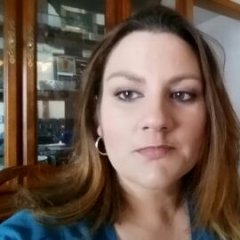
4 month pic shared

  • Replies 9
  • Views 802
  • Created
  • Last Reply

Featured Replies

Wow your looking amazing keep up the great work

SW309 SURGERY Date 1/26/2017 CURRENT WEIGHT 285

You look great


I may just use a picture from my daughters wedding. I looked hideous! This surgery came about because I am having approx 100 episodes of reflux in a 24hr period. I have had multiple episodes of aspiration pneumonia with one of which I was coded, taken to ICU and then went into respiratory and renal failure. My average weight about 2 yr ago was 145. I have gained close to 80 pounds. I have other health issues, but my pcp suggested that I see my gi doc. Found out that a bypass will fix the reflux, get the wt down, and hopefully my bp and lipids will be better as well.


Archived

This topic is now archived and is closed to further replies.

Trending Products

PatchAid Vitamin Patches

Account

Navigation

Search

Search

Configure browser push notifications

Chrome (Android)
  1. Tap the lock icon next to the address bar.
  2. Tap Permissions → Notifications.
  3. Adjust your preference.
Chrome (Desktop)
  1. Click the padlock icon in the address bar.
  2. Select Site settings.
  3. Find Notifications and adjust your preference.