




- Replies 22
- Views 2.8k
- Created
- Last Reply
Top Posters In This Topic
-
gustavio 4 posts
-
trm 1 post
-
tanyamann32 1 post
-
sunnydeeliteful 1 post



Most Popular Posts
-
I am sorry to hear. However, I don't feel that way at all. I may have had a rough recovery and suffered a few complications, but at this point, I feel this is the best decision I've ever made. My w
-
Congrats! Sent from my SM-P550 using the BariatricPal App
-
Wow! Congrats to you! That is awesome!! I am also about 2 months and 3 weeks post-op and hit 57 pounds down as of this morning. I have 35 more pounds to go until I hit ONEderland but I know I will ge

Posted Images

Featured Replies
Join the conversation
You can post as a guest; create a free account to track replies, follow topics, and be part of the largest weight loss surgery community.
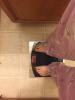
It took me longer than I thought but I couldn't be more excited!! 2 months and 3 weeks post op and I've hit the ONEderland! Yayayayayya! Sorry just felt the need to shout it from the roof top. I've met many mini goals in the past couple months but this was my first large goal. Actually 3 large goals in one day! 50lbs down, 50 to go. I'm halfway to my ultimate goal and first time below 200 for about 5 years
Sent from my iPhone using the BariatricPal App