Skip to content
View in the app

A better way to browse. Learn more.

BariatricPal

A full-screen app on your home screen with push notifications, badges and more.

To install this app on iOS and iPadOS
  1. Tap the Share icon in Safari
  2. Scroll the menu and tap Add to Home Screen.
  3. Tap Add in the top-right corner.
To install this app on Android
  1. Tap the 3-dot menu (⋮) in the top-right corner of the browser.
  2. Tap Add to Home screen or Install app.
  3. Confirm by tapping Install.

August 16th

  • Popular Post

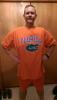
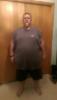
Hey all, One year ago today was the day I decided to make the decision for a healthier lifestyle. Although my sleeve surgery wasn't until October I decided that it made more sense to start getting used to watching what I ate rather than making a mad dash until the last minute. So fast forward one year and I feel compelled to share with you my progress thus far.....197 pounds lost...before pic 393 pounds and currently 196post-260712-14713925940146_thumb.jpgpost-260712-1471392614809_thumb.jpg
Sent from my 831C using the BariatricPal App

  • Replies 8
  • Views 1.2k
  • Created
  • Last Reply

Featured Replies

Awesome! Congratulations! You are an inspiration

that is awesome!

Congratulations!! Your hard work has definitely paid off! You look great -- and much happier!

Sent From BariatricPal App

You look amazing. Congrats on the new healthier you

Sent from my SAMSUNG-SM-T337A using the BariatricPal App

Archived

This topic is now archived and is closed to further replies.

Trending Products

PatchAid Vitamin Patches

Account

Navigation

Search

Search

Configure browser push notifications

Chrome (Android)
  1. Tap the lock icon next to the address bar.
  2. Tap Permissions → Notifications.
  3. Adjust your preference.
Chrome (Desktop)
  1. Click the padlock icon in the address bar.
  2. Select Site settings.
  3. Find Notifications and adjust your preference.