Skip to content
View in the app

A better way to browse. Learn more.

BariatricPal

A full-screen app on your home screen with push notifications, badges and more.

To install this app on iOS and iPadOS
  1. Tap the Share icon in Safari
  2. Scroll the menu and tap Add to Home Screen.
  3. Tap Add in the top-right corner.
To install this app on Android
  1. Tap the 3-dot menu (⋮) in the top-right corner of the browser.
  2. Tap Add to Home screen or Install app.
  3. Confirm by tapping Install.

Water

  • Replies 5
  • Views 1.2k
  • Created
  • Last Reply

Featured Replies

Agreed. Too much sugar. How about some flavored teas? Check out Republicofteas.com. they have some great flavors Luke cuz Myer mint, orange blossom, passion fruit, etc. They are not sweetened but the flavors enhance the taste

Sent from my HTC One M9 using the BariatricPal App

I struggled with water too. I wound up diluting the low calorie gatorades (in half) or the occasional coconut water (in thirds) or using a Splenda to sweeten watered down tea.

Edited by Afrikanaaa

I happily use Stevia NOT truvia or nuvia but real Stevia in the package called "Sweet Leaf." My nutritionist even said that some have trouble with real stevia. Sorry sweetie. I will know more when I get through my process. I LOVE tea too and will struggle without it if stevia does not work. We can try it without sugar. :?

  • 4 weeks later...
  • Author

I happily use Stevia NOT truvia or nuvia but real Stevia in the package called "Sweet Leaf." My nutritionist even said that some have trouble with real stevia. Sorry sweetie. I will know more when I get through my process. I LOVE tea too and will struggle without it if stevia does not work. We can try it without sugar. :?

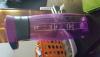
I've tried that too. I bought me a bottle at walmart , that helps somepost-287225-14685391064389_thumb.jpg

They come in different colors .

Sent from my SAMSUNG-SM-N920A using the BariatricPal App

Archived

This topic is now archived and is closed to further replies.

Trending Products

PatchAid Vitamin Patches

Account

Navigation

Search

Search

Configure browser push notifications

Chrome (Android)
  1. Tap the lock icon next to the address bar.
  2. Tap Permissions → Notifications.
  3. Adjust your preference.
Chrome (Desktop)
  1. Click the padlock icon in the address bar.
  2. Select Site settings.
  3. Find Notifications and adjust your preference.