Skip to content
View in the app

A better way to browse. Learn more.

BariatricPal

A full-screen app on your home screen with push notifications, badges and more.

To install this app on iOS and iPadOS
  1. Tap the Share icon in Safari
  2. Scroll the menu and tap Add to Home Screen.
  3. Tap Add in the top-right corner.
To install this app on Android
  1. Tap the 3-dot menu (⋮) in the top-right corner of the browser.
  2. Tap Add to Home screen or Install app.
  3. Confirm by tapping Install.

Success

  • Popular Post

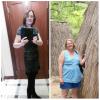
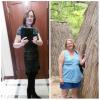
What can I say? I went from 230 to 121. n I

post-168827-0-30555900-1466177903_thumb.jpg

  • Replies 26
  • Views 4.1k
  • Created
  • Last Reply

Featured Replies

  • Author

@@ranger11 I'm 3 1/2 years out. My starting weight was 230. Day of surgery 217. Right now 121. Actually like wearing a swim suit yesterday.

@@ranger11 Thank you!

  • Author

Thanks everyone. It feels pretty great. Who'd of thunk? :-) I sure didn't. The only problem I'm having is getting enough protein in, and toning what little bit of muscles I do have.

I'm lazy. I hate excersize.

  • Author

Thank you @@Gripp

Good to know that. Makes me wanna keep on track. I'm happy. Just need a little toning.

  • Author

BTW, @@Teresa in Texas

Thank you! I didn't realize how big I had gotten. My husband has always, always told me how beautiful I am. He's a keeper.

Archived

This topic is now archived and is closed to further replies.

Trending Products

PatchAid Vitamin Patches

Account

Navigation

Search

Search

Configure browser push notifications

Chrome (Android)
  1. Tap the lock icon next to the address bar.
  2. Tap Permissions → Notifications.
  3. Adjust your preference.
Chrome (Desktop)
  1. Click the padlock icon in the address bar.
  2. Select Site settings.
  3. Find Notifications and adjust your preference.