Skip to content
View in the app

A better way to browse. Learn more.

BariatricPal

A full-screen app on your home screen with push notifications, badges and more.

To install this app on iOS and iPadOS
  1. Tap the Share icon in Safari
  2. Scroll the menu and tap Add to Home Screen.
  3. Tap Add in the top-right corner.
To install this app on Android
  1. Tap the 3-dot menu (⋮) in the top-right corner of the browser.
  2. Tap Add to Home screen or Install app.
  3. Confirm by tapping Install.

Notifications are gone!

And if you reply to this I won't know, because notifications are gone! I am only getting the ones that say someone likes my post. @@Alex Brecher

  • Replies 20
  • Views 2.8k
  • Created
  • Last Reply

Featured Replies

And if you reply to this I won't know, because notifications are gone! I am only getting the ones that say someone likes my post. @@Alex Brecher

Which notifications? Email?

I miss the Notifications tab that was under the Messages tab on the old app. The updated version looks sleek, but I enjoyed the functionality of that tab!

Sent from my SM-N910V using the BariatricPal App

And if you reply to this I won't know, because notifications are gone! I am only getting the ones that say someone likes my post. @@Alex Brecher

I think this issue has been fixed. Please let me know ......

I miss the Notifications tab that was under the Messages tab on the old app. The updated version looks sleek, but I enjoyed the functionality of that tab!

Sent from my SM-N910V using the BariatricPal App

Thanks for your feedback! We are working on adding this back to the app.

  • Author

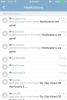
Under the. Notifications tab. I am being told when things are quoted or liked but not seeing any replies.

  • Author

post-208484-14565833431035_thumb.jpg

Those blank notifications are dead links.

Has anyone figured out how to clear notifications? I don't want to turn them off, but once I read them, the notification count on the outside of the app should go down or if I had a delete option. I love getting the notifications, but I hate having the little red dot on my iOS screen

Notifications are gone!

@@Alex Brecher

help help

can't bold or anything either

mine are also gone

when i type the print is all weird

only shows in light, and can't highlight, bold, emoticons

then it posted and it worked

still don't like it

i edit, still can't make changes

tool bar is light

i live for my notications (kindof sad)

and this is what the type now looks like

eeeeeek

kathy

one sad sleeever

Notifications are gone!

@@Alex Brecher

help help

can't bold or anything either

mine are also gone

when i type the print is all weird

only shows in light, and can't highlight, bold, emoticons

then it posted and it worked

still don't like it

i edit, still can't make changes

tool bar is light

i live for my notications (kindof sad)

and this is what the type now looks like

eeeeeek

kathy

one sad sleeever

Thanks for letting me know! We are going to fix this. Please let me know if you discover any other new issues.

Notifications are gone!

@@Alex Brecher

help help

can't bold or anything either

mine are also gone

when i type the print is all weird

only shows in light, and can't highlight, bold, emoticons

then it posted and it worked

still don't like it

i edit, still can't make changes

tool bar is light

i live for my notications (kindof sad)

and this is what the type now looks like

eeeeeek

kathy

one sad sleeever

You'll need to delete your browsers cache and restart it, in order to fix this issue, sorry.

Where is the little tab that used to be when replying you could upload pictures ,that one was SO EASY for me now I can not able to post any , also it looks like all the different types of Wls are combined again , me being a Bander just want to be on the Banded sites , because that is MY prefence , I was & thought I was on a Banded sitev& was trying to give someone encouragement &:post pictures of Before & after come to find out it is a Sleeve site & so some of the stuff I used to go to I have to search every time.

Debbie3sons

Notifications are now working 100%

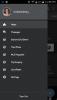
Is the notification tab supposed to be in drop down menu? I still don't have it. :(post-30234-14565947205161_thumb.jpg

Sent from my SM-G900V using the BariatricPal App

Edited by nicksmommy

Notifications are now working 100%

Is the notification tab supposed to be in drop down menu? I still don't have it. :(attachicon.gif Screenshot_2016-02-27-12-30-35.png

Sent from my SM-G900V using the BariatricPal App

Those are the only options I have as well. Notifications used to be right above or under Messages.

Sent from my SM-N910V using the BariatricPal App

Notifications are now working 100%

Is the notification tab supposed to be in drop down menu? I still don't have it. :(attachicon.gif Screenshot_2016-02-27-12-30-35.png

Sent from my SM-G900V using the BariatricPal App

Those are the only options I have. Notifications used to be right above or under Messages.

Sent from my SM-N910V using the BariatricPal App

  • Author

I think it's fixed. Thanks Alex!

Notifications are now working 100%

Is the notification tab supposed to be in drop down menu? I still don't have it. :(attachicon.gif Screenshot_2016-02-27-12-30-35.png

Sent from my SM-G900V using the BariatricPal App

Those are the only options I have as well. Notifications used to be right above or under Messages.

Sent from my SM-N910V using the BariatricPal App

Notifications are now working 100%

Is the notification tab supposed to be in drop down menu? I still don't have it. :(attachicon.gif Screenshot_2016-02-27-12-30-35.png

Sent from my SM-G900V using the BariatricPal App

Those are the only options I have. Notifications used to be right above or under Messages.

Sent from my SM-N910V using the BariatricPal App

I just uninstalled/reinstalled the app thinking that would maybe do the trick, but nada. :(

Sent from my SM-G900V using the BariatricPal App

Archived

This topic is now archived and is closed to further replies.

Trending Products

PatchAid Vitamin Patches

Account

Navigation

Search

Search

Configure browser push notifications

Chrome (Android)
  1. Tap the lock icon next to the address bar.
  2. Tap Permissions → Notifications.
  3. Adjust your preference.
Chrome (Desktop)
  1. Click the padlock icon in the address bar.
  2. Select Site settings.
  3. Find Notifications and adjust your preference.