Skip to content
View in the app

A better way to browse. Learn more.

BariatricPal

A full-screen app on your home screen with push notifications, badges and more.

To install this app on iOS and iPadOS
  1. Tap the Share icon in Safari
  2. Scroll the menu and tap Add to Home Screen.
  3. Tap Add in the top-right corner.
To install this app on Android
  1. Tap the 3-dot menu (⋮) in the top-right corner of the browser.
  2. Tap Add to Home screen or Install app.
  3. Confirm by tapping Install.

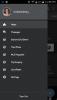
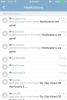
Notifications are gone!

And if you reply to this I won't know, because notifications are gone! I am only getting the ones that say someone likes my post. @@Alex Brecher

  • Replies 20
  • Views 2.8k
  • Created
  • Last Reply

Featured Replies

Sent from my SM-N910V using the BariatricPal App

I just uninstalled/reinstalled the app thinking that would maybe do the trick, but nada. :(

Sent from my SM-G900V using the BariatricPal App

Notifications have disappeared from our Android App. We are working on a fix, thanks!

You'll need to delete your browsers cache and restart it, in order to fix this issue, sorry.

@@Alex Brecher

I deleted my browser cache and restarted it

things were working fine for a while

12:12 and 12:17 am are the only two posts showing for today (sob, sob)

i'm crying my eyes out

and i don't have any more tissues!! :(

plllllllease help me

thanx

kathy

fellow people :rolleyes:

am i the only one that is not receiving notices again

my last notification was this morning after midnight

kathy

fellow people :rolleyes:

am i the only one that is not receiving notices again

my last notification was this morning after midnight

kathy

We have many types of notifications.....

Let's try to figure out which notifications you aren't receiving. Try to be as descriptive as possible, please. Email? On the top right of the site in "notifications"?

Let's try to figure out which notifications you aren't receiving. Try to be as descriptive as possible, please. Email? On the top right of the site in "notifications"?

@@Alex Brecher

guess what???

i woke up this morning and saw all email notifications that weren't there before

new ones from today too

don't know how they got there

i don't really care, they are there

that's what counts

i am soooo happy

reason now to live!!!

105 lbs down

GOAL

email notifications working

what more could i want??! :rolleyes:

kathy

Archived

This topic is now archived and is closed to further replies.

Trending Products

PatchAid Vitamin Patches

Account

Navigation

Search

Search

Configure browser push notifications

Chrome (Android)
  1. Tap the lock icon next to the address bar.
  2. Tap Permissions → Notifications.
  3. Adjust your preference.
Chrome (Desktop)
  1. Click the padlock icon in the address bar.
  2. Select Site settings.
  3. Find Notifications and adjust your preference.