



NSV Buying clothes the 'NORMAL' way
Featured Replies
Join the conversation
You can post as a guest; create a free account to track replies, follow topics, and be part of the largest weight loss surgery community.

A better way to browse. Learn more.
A full-screen app on your home screen with push notifications, badges and more.
Join BariatricPal free
You can post as a guest; create a free account to track replies, follow topics, and be part of the largest weight loss surgery community.
Find support for your bariatric or GLP-1 journey. Save helpful conversations and take part when you are ready.
Choose your email preferences on the registration form.
Already a member? Sign in
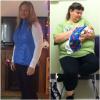
Just before Christmas, I had the most marvelous experience.
For the past 20 years, I have had to buy clothes in the BIG&TALL section, or in the era of on-line shopping, would have to pay up for larger sizes for Lee or Levi jeans. Would cost anywhere from $35-$50.
Last week, I actually was able to buy Wrangler Jeans at a Walmart store right from the shelf, for $17.
Its a wonderful thing!
Happy New Year out there ...
-RC-