Skip to content
View in the app

A better way to browse. Learn more.

BariatricPal

A full-screen app on your home screen with push notifications, badges and more.

To install this app on iOS and iPadOS
  1. Tap the Share icon in Safari
  2. Scroll the menu and tap Add to Home Screen.
  3. Tap Add in the top-right corner.
To install this app on Android
  1. Tap the 3-dot menu (⋮) in the top-right corner of the browser.
  2. Tap Add to Home screen or Install app.
  3. Confirm by tapping Install.

ZERO Regret!

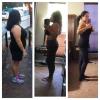
Hello everyone! I'm a 33 yr old female that has been over weight since the age of 7. When I finally had had enough with dieting my ENTIRE life, I had just had my son, was 190lbs and at my short stature of only 5'0ft, feeling horrible with lugging around so much weight. Happy to say I'm down 51lbs, 5 months post-op! Can't wait to see and feel my new body when I reach my goal weight of 110lbs!!!! Progress feels and looks sooo good! post-257327-1448564086985_thumb.jpg
  • Replies 3
  • Views 530
  • Created
  • Last Reply

Featured Replies

Already lookin hot!

Archived

This topic is now archived and is closed to further replies.

Trending Products

PatchAid Vitamin Patches

Account

Navigation

Search

Search

Configure browser push notifications

Chrome (Android)
  1. Tap the lock icon next to the address bar.
  2. Tap Permissions → Notifications.
  3. Adjust your preference.
Chrome (Desktop)
  1. Click the padlock icon in the address bar.
  2. Select Site settings.
  3. Find Notifications and adjust your preference.