Skip to content
View in the app

A better way to browse. Learn more.

BariatricPal

A full-screen app on your home screen with push notifications, badges and more.

To install this app on iOS and iPadOS
  1. Tap the Share icon in Safari
  2. Scroll the menu and tap Add to Home Screen.
  3. Tap Add in the top-right corner.
To install this app on Android
  1. Tap the 3-dot menu (⋮) in the top-right corner of the browser.
  2. Tap Add to Home screen or Install app.
  3. Confirm by tapping Install.
  • Appearance

Join BariatricPal free

  • Ask your own questions
  • Reply and follow topics
  • Message other members
  • No cost, no spam

Heart Rate Monitors

So i'm thinking of asking for one of these for Christmas, but am overwhelmed by the options/features. Any recommendations for a brand?

Is the one with the chest strap more accurate than the watch only styles?

I'm not interested in fitbit-- I'm looking for something other than that brand,

  • Replies 6
  • Views 1.3k
  • Created
  • Last Reply

Top Posters In This Topic

Posted Images

Featured Replies

I've read opposing theories that say the chest straps are the most accurate and others that say that ones placed on the left wrist are good as well. I like the idea of a a wrist device because I would worry about the chest strap ones slipping. I am planning to upgrade to the Polar A360. I currently wear the Polar Loop because I was primarily doing water aerobics for fitness and none of the heart rate monitors I looked at work underwater.

I spent some time looking into these not long ago. I liked the idea of something on my wrist that did the heart rate, but because of other factors, ended up with one that requires a secondary chest strap due to the other features this one had. I got the Garmin Vivoactive. I LOVE IT. Wear it daily. It tracks my steps, reminds me to get up and move, stays charged for 3-4 days without issue, although I charge it every couple days. You can wear it swimming and count laps/times. It tells me when I have emails, texts and phone calls. Its light and not very thick. Its also much cheaper than an apple watch. The only downside that I can find is that the music controls on it only work for Apple Music, but that is because Apple doesn't want you to be able to control pandora or spottily on an iPhone with anything other than an Apple Watch. I recently got a bike and Garmin sells a sensor to put on the crank of the bike to track how many pedals you get on a ride. Can't say enough good things about this Activity Tracker. Oh, and it also connects with MFP, Apple Health and other fitness type apps to pull and push data.

Edited by dlappjr

Out of curiosity, why are you against the Fitbit? I Mic have the Charge HR in purple and I love it. I only wish it was waterproof. I find it to be very accurate, good software, tells me exactly how many minutes my rate is in the zone, etc.

I have an older Polar heart rate monitor with a chest strap. I am now looking for a heart rate monitor without a chest strap. I am considering a Garmin Forerunner 225 with a wrist-based heart rate sensor, but I am not not sure if I want to spend $250 for it, or if I would use the GPS feature.

  • Author

Out of curiosity, why are you against the Fitbit? I Mic have the Charge HR in purple and I love it. I only wish it was waterproof. I find it to be very accurate, good software, tells me exactly how many minutes my rate is in the zone, etc.

I had the charge and it fell apart-- literally. Though they stood behind it and sent a knew one-- it totally turned me off from buying another of their products.

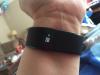
I have had my Charge HR from Fitbit since it first came out- almost a year now. I LOVE it and the tracking software. I also love the sleep tracking feature. I have used Fitbit products for around 2 years total. I also have the Fitbit scale- I love how everything is tracked automatically!

post-249589-14483823996762_thumb.jpg

Join the conversation

You can post as a guest; create a free account to track replies, follow topics, and be part of the largest weight loss surgery community.

Join the conversation

You can post now and register later. If you have an account, sign in now to post with your account.

Guest
Reply to this topic...

Account

Navigation

Search

Search

Configure browser push notifications

Chrome (Android)
  1. Tap the lock icon next to the address bar.
  2. Tap Permissions → Notifications.
  3. Adjust your preference.
Chrome (Desktop)
  1. Click the padlock icon in the address bar.
  2. Select Site settings.
  3. Find Notifications and adjust your preference.