Skip to content
View in the app

A better way to browse. Learn more.

BariatricPal

A full-screen app on your home screen with push notifications, badges and more.

To install this app on iOS and iPadOS
  1. Tap the Share icon in Safari
  2. Scroll the menu and tap Add to Home Screen.
  3. Tap Add in the top-right corner.
To install this app on Android
  1. Tap the 3-dot menu (⋮) in the top-right corner of the browser.
  2. Tap Add to Home screen or Install app.
  3. Confirm by tapping Install.

Approved! Yay!

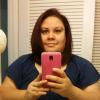
Received word this morning that I am approved for the Sleeve! So excited, have been getting crying spurts of happiness!

Have to get my Scope & pulmonary clearance done so I can pick out my surgery date! Still super excited to finally havw the worry of getting approved out of the way.

  • Replies 5
  • Views 496
  • Created
  • Last Reply

Featured Replies

Congrats. Very happy for you. Hope all goes well...

  • Author

Thank you Vicki! ????

Congrats!! I know you are very excited, I still remember the call from my surgeon's office. Wishing you a smooth surgery and a speedy recovery! Get those before photos and measurements done!

  • Author

@ShrinkingPeach...I have y before photos on my profile now, Just getting ready to do my measurements once I have the measuring tape to do that! LOL! So ready to start my new journey now. :)

Archived

This topic is now archived and is closed to further replies.

Trending Products

PatchAid Vitamin Patches

Account

Navigation

Search

Search

Configure browser push notifications

Chrome (Android)
  1. Tap the lock icon next to the address bar.
  2. Tap Permissions → Notifications.
  3. Adjust your preference.
Chrome (Desktop)
  1. Click the padlock icon in the address bar.
  2. Select Site settings.
  3. Find Notifications and adjust your preference.