




Italian Zucchini
- Replies 1
- Views 813
- Created
- Last Reply
Top Posters In This Topic
-
Wendyfm 1 post

Popular Days
Posted Images
Featured Replies
Join the conversation
You can post as a guest; create a free account to track replies, follow topics, and be part of the largest weight loss surgery community.
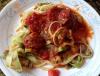
The one food I miss since being banded is spaghetti and meatballs. Tried this carb friendly version, 5 strands of spaghetti noodles with zucchini and long squash.
3 cups zucchini and long squash slivered ( I used a veggie peeler)
1/2 c diced onion
2 cloves garlic chopped
1 cup sliced mushrooms
1/4 c white wine (or water)
1 c diced tomatoes (or cherry tomatoes)
1/4 c parmesan cheese
1 tsp olive oil
pinch of salt
pepper to taste
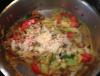
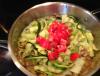
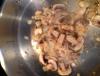
Add onions, garlic, salt, pepper, and oil to a skillet. Saute until onions are soft. Add mushrooms and brown. Deglaze pan with white wine, add zucchini and cook to soften. Add tomatoes to warm. Sprinkle with parmesan cheese and serve. Makes 3 servings at approx. 114 calories/serving.
I added 5 strands of cooked spaghetti, 1/4 cup of marina sauce and 2 meatballs to my dish to give it the Italian Pasta night feel.