



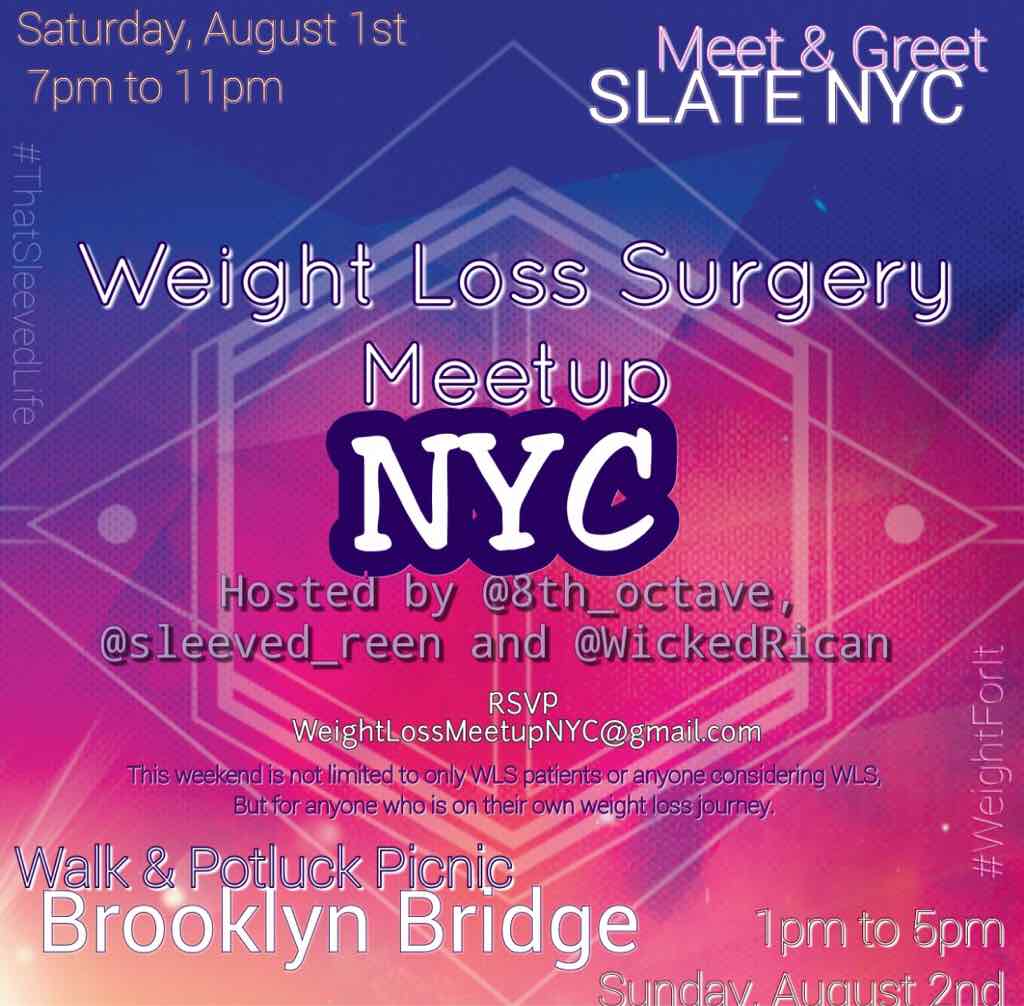
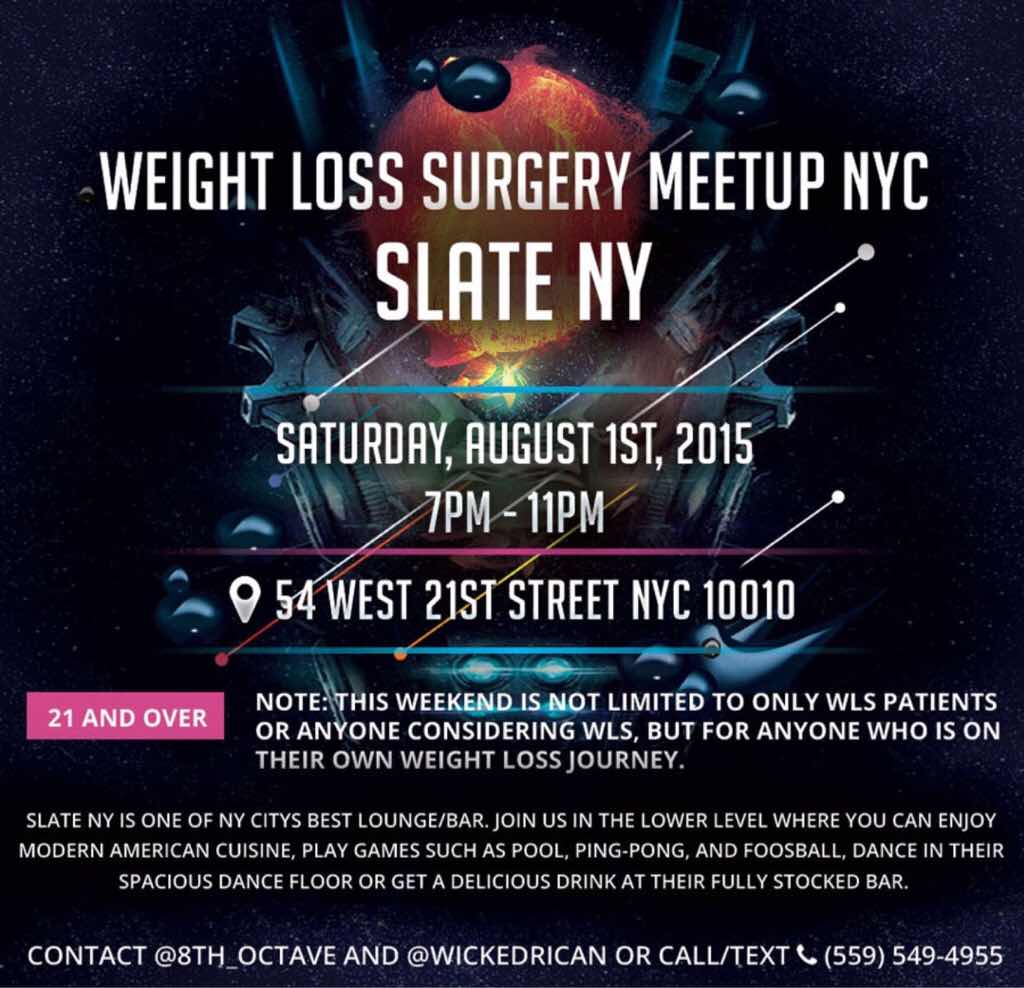
 hey guys. If you're in the New York area August 1st and 2nd there is a 2 day WLS event. The first is a meet and greet the second is a Brooklyn Bridge walk followed by a pot luck picnic. Details are in the flyer. RSVP @ weightlossneetupnyc@gmail.com

A better way to browse. Learn more.
A full-screen app on your home screen with push notifications, badges and more.
Join BariatricPal free
hey guys. If you're in the New York area August 1st and 2nd there is a 2 day WLS event. The first is a meet and greet the second is a Brooklyn Bridge walk followed by a pot luck picnic. Details are in the flyer. RSVP @ weightlossneetupnyc@gmail.com
You can post as a guest; create a free account to track replies, follow topics, and be part of the largest weight loss surgery community.