




Skip to content
View in the app

A better way to browse. Learn more.

BariatricPal

A full-screen app on your home screen with push notifications, badges and more.

To install this app on iOS and iPadOS
  1. Tap the Share icon in Safari
  2. Scroll the menu and tap Add to Home Screen.
  3. Tap Add in the top-right corner.
To install this app on Android
  1. Tap the 3-dot menu (⋮) in the top-right corner of the browser.
  2. Tap Add to Home screen or Install app.
  3. Confirm by tapping Install.
  • Cart

Compliant cheating!

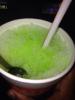
After my pre-Opel of shrimp al diablo and fresh cut green beans/ garlic, I felt really hungry, I haven't cheated and didn't wanna start so I had a great idea, we purchased a Hawaiian shaved ice machine last summer because of our family size, so I got it out and shaved some ice, then mixed in some Walmart brand type of "Mio" which was Pineapple Coconut Lime( kinda Piña colada ish) and its doing the trick, no calories 1 gram carb, love this kinda cheating!post-254362-14331134612692_thumb.jpg
  • Replies 1
  • Views 557
  • Created
  • Last Reply

Featured Replies

Way to go and managing your plan simultaneously!! Good for you!! :D

Archived

This topic is now archived and is closed to further replies.

Trending Products

PatchAid Vitamin Patches

Account

Navigation

Search

Search

Configure browser push notifications

Chrome (Android)
  1. Tap the lock icon next to the address bar.
  2. Tap Permissions → Notifications.
  3. Adjust your preference.
Chrome (Desktop)
  1. Click the padlock icon in the address bar.
  2. Select Site settings.
  3. Find Notifications and adjust your preference.

