Skip to content
View in the app

A better way to browse. Learn more.

BariatricPal

A full-screen app on your home screen with push notifications, badges and more.

To install this app on iOS and iPadOS
  1. Tap the Share icon in Safari
  2. Scroll the menu and tap Add to Home Screen.
  3. Tap Add in the top-right corner.
To install this app on Android
  1. Tap the 3-dot menu (⋮) in the top-right corner of the browser.
  2. Tap Add to Home screen or Install app.
  3. Confirm by tapping Install.

You know what?

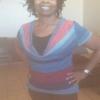
I caught a glimpse of myself in the mirror today...naked! The only thing different is, I didn't turn away :)

  • Replies 8
  • Views 792
  • Created
  • Last Reply

Featured Replies

That is so great congrats, keep up the great job.

That is awesome i can not wait till i am there. I just got out of the hospital today so still learning how to eat and drink again .

Me too Tarabara. It's crazy. I go to take a gulp of water like normal and immediately remember I can't. I just hope it gets easier cuz I'm not getting much in.

Congrats on your NSV! Please post pics for proof. :rolleyes:

post-147109-0-02968000-1394411540_thumb.jpg
  • Author

Joatsaint, really? lol I'll post proof after you do ;)

Congrats on your NSV! Please post pics for proof. :rolleyes:

I can't post proof. My mirror still flinches everytime I walk out of the shower!

That's awesome Sandee! I've lost 60lbs but I still don't much like how I look naked. However in clothes I absolutely love how much smaller my stomach is. Thankfully my boobs haven't deflated (much) so right now I look super top heavy and trim on the bottom. Love it!!!

  • Author

Joatsaint, that mirror's gonna be winking at you before you know it:)

Archived

This topic is now archived and is closed to further replies.

Trending Products

PatchAid Vitamin Patches

Account

Navigation

Search

Search

Configure browser push notifications

Chrome (Android)
  1. Tap the lock icon next to the address bar.
  2. Tap Permissions → Notifications.
  3. Adjust your preference.
Chrome (Desktop)
  1. Click the padlock icon in the address bar.
  2. Select Site settings.
  3. Find Notifications and adjust your preference.