Skip to content
View in the app

A better way to browse. Learn more.

BariatricPal

A full-screen app on your home screen with push notifications, badges and more.

To install this app on iOS and iPadOS
  1. Tap the Share icon in Safari
  2. Scroll the menu and tap Add to Home Screen.
  3. Tap Add in the top-right corner.
To install this app on Android
  1. Tap the 3-dot menu (⋮) in the top-right corner of the browser.
  2. Tap Add to Home screen or Install app.
  3. Confirm by tapping Install.

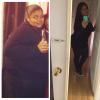
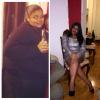
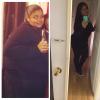
16 months post opp !

This journey has been very life changing and I went thur a whole lot but I'm very thankful for this change !! I'm here too help anyone with question ect or anything else

post-164850-0-68681500-1388624629_thumb.jpg

  • Replies 11
  • Views 1k
  • Created
  • Last Reply

Featured Replies

Wow! Look at you. Looking good and love the straight flat hair on you.

  • Author

Wow! Look at you. Looking good and love the straight flat hair on you.

Thank you soo much xoxox

Looking good girl! The crossed leg pic is my favorite. You look so sassy and comfortable in your own skin. I hope that when I've met goal I'll still have some of my curves.

Congratulations! Thank you for the inspirational post. Every time I read a positive post my confidence that this will work goes up :unsure:

Hi and congrats on ur weight loss. How much did u lose and how many calories dob you eat every day? Thanks

  • Author

Hi and congrats on ur weight loss. How much did u lose and how many calories dob you eat every day? Thanks

Hey thanks we'll since the surgery I've lost 140 pounds for calories I currently stop counting them but I just try to eat like everything with high Protein like fish red meats peanuts soy Beans ...

Archived

This topic is now archived and is closed to further replies.

Trending Products

PatchAid Vitamin Patches

Account

Navigation

Search

Search

Configure browser push notifications

Chrome (Android)
  1. Tap the lock icon next to the address bar.
  2. Tap Permissions → Notifications.
  3. Adjust your preference.
Chrome (Desktop)
  1. Click the padlock icon in the address bar.
  2. Select Site settings.
  3. Find Notifications and adjust your preference.