Skip to content
View in the app

A better way to browse. Learn more.

BariatricPal

A full-screen app on your home screen with push notifications, badges and more.

To install this app on iOS and iPadOS
  1. Tap the Share icon in Safari
  2. Scroll the menu and tap Add to Home Screen.
  3. Tap Add in the top-right corner.
To install this app on Android
  1. Tap the 3-dot menu (⋮) in the top-right corner of the browser.
  2. Tap Add to Home screen or Install app.
  3. Confirm by tapping Install.

Almost There

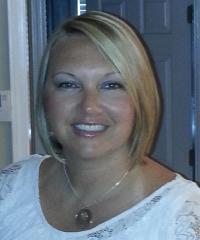
I begin this journey July 30th 2013.

My weight was 258 as of today i weight 189......just that fast 69 lbs. gone...My goal is to reach 150....From a size 22 to a 14 feels damn GOOD.......

  • Replies 5
  • Views 785
  • Created
  • Last Reply

Featured Replies

rock-it.regular.png

Girlfriend!!

What advice could you give me? I will be banded within the next month, and I am almost the same size as you were when you started. What were the hardest things to deal with, and what did you focus on most FEARFEFE?

  • Author

My focus was being able to run around with my grandbaby....i followed the doctors advice.....i look at it this way i have a $9000 device inside of me i can use it or be a fool....that's money i could have done something else with....i was a cash pay not insurance....

I just love love love LOVE your mindset!!! That's awesome!!! You're an inspiration!!!

Sent from my iPhone using LapBandTalk

Archived

This topic is now archived and is closed to further replies.

Trending Products

PatchAid Vitamin Patches

Account

Navigation

Search

Search

Configure browser push notifications

Chrome (Android)
  1. Tap the lock icon next to the address bar.
  2. Tap Permissions → Notifications.
  3. Adjust your preference.
Chrome (Desktop)
  1. Click the padlock icon in the address bar.
  2. Select Site settings.
  3. Find Notifications and adjust your preference.