Skip to content
View in the app

A better way to browse. Learn more.

BariatricPal

A full-screen app on your home screen with push notifications, badges and more.

To install this app on iOS and iPadOS
  1. Tap the Share icon in Safari
  2. Scroll the menu and tap Add to Home Screen.
  3. Tap Add in the top-right corner.
To install this app on Android
  1. Tap the 3-dot menu (⋮) in the top-right corner of the browser.
  2. Tap Add to Home screen or Install app.
  3. Confirm by tapping Install.

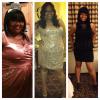
9 Months Post Op's *Pics* :)

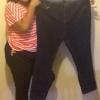
The first pic is the only full body pic of me at my heaviest...

SD 1-18-13...HW 294...CW 201 :)

post-29236-13813813118788_thumb.jpg

post-29236-13813813118883_thumb.jpg

  • Replies 28
  • Views 1.8k
  • Created
  • Last Reply

Featured Replies

You look amazing!

What's your loose skin situation? None from what i can see lol!

  • Author
What's your loose skin situation? None from what i can see lol!

Thanks ladies!!! I don't have any (knock on wood) lol but I am starting to see my arms looking a little flabby but I'll take it with a smile!! lol

You look great!

  • Author
You look great!

Thank You!!!

Holy Weight loss!!! great job!

  • Author
Holy Weight loss!!! great job!

Thanks Vicki!!

  • Author
Looking good.How often do you exercise?

thanks hun! I'm a little ashamed to say this but I don't at all and I think that's why I've hot a stall

Lisa you look great I was wondering where u been, I haven't seen u....glad all is well :)

  • Author
Lisa you look great I was wondering where u been' date=' I haven't seen u....glad all is well :)[/quote']

You look fab!!! I know it's been a long time how are you??

  • Author
Your welcome.Well yourok doing something right then.Keep up the good work though..

Thanks again!

You look fab!!! I know it's been a long time how are you??

Thanks sis, doing well thank God, miss seeing u on the board glad ur back :-)

Archived

This topic is now archived and is closed to further replies.

Trending Products

PatchAid Vitamin Patches

Account

Navigation

Search

Search

Configure browser push notifications

Chrome (Android)
  1. Tap the lock icon next to the address bar.
  2. Tap Permissions → Notifications.
  3. Adjust your preference.
Chrome (Desktop)
  1. Click the padlock icon in the address bar.
  2. Select Site settings.
  3. Find Notifications and adjust your preference.