Skip to content
View in the app

A better way to browse. Learn more.

BariatricPal

A full-screen app on your home screen with push notifications, badges and more.

To install this app on iOS and iPadOS
  1. Tap the Share icon in Safari
  2. Scroll the menu and tap Add to Home Screen.
  3. Tap Add in the top-right corner.
To install this app on Android
  1. Tap the 3-dot menu (⋮) in the top-right corner of the browser.
  2. Tap Add to Home screen or Install app.
  3. Confirm by tapping Install.

8 weeks out!

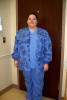
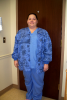
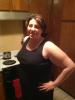
So I wanted to finally post a before and after photo of the weight loss I've lost since surgery. The first photo I am on the in the stripped black shirt ( the biggest girl in the photo) and that picture was two days before I had surgery on January 22. Second photo is from today. So happy so far!

post-25804-13813811690478_thumb.jpg

post-25804-13813811691186_thumb.jpg

  • Replies 16
  • Views 1.1k
  • Created
  • Last Reply

Featured Replies

You look great, what a difference 8 weeks has made. I had my surgery 3 weeks ago, Congratulations again.

Congrats, you look GREAT!!! How much weight have you lost? Looking forward to having my before and after pics!!!

:) you're doing amazing and you look wonderful.

How do you feel?

You are beautiful .. Keep up the great work!

We are surgery pals I had mine on 1/29. I have lost 16 lbs pre op and the 43 lbs since surgery. Great job with ur success and may you have even more success.

post-25386-13813811693451_thumb.jpg

Oops here are my before and after pics.

post-25386-1381381169408_thumb.jpg

post-25386-13813811694902_thumb.jpg

post-25386-13813811695663_thumb.jpg

Great motivation! You look great

You both look great! My surgery date 12/11 hw 256 cw 190

post-32930-13813811698068_thumb.png

[ATTACH]3008[/ATTACH]

post-32930-1381381169857_thumb.png

[ATTACH]3009[/ATTACH]

post-32930-13813811697505_thumb.png

Oops sorry you do too. Keep up the good work

I love seeing all the pics. You are all such an inspiration!!

Archived

This topic is now archived and is closed to further replies.

Trending Products

PatchAid Vitamin Patches

Account

Navigation

Search

Search

Configure browser push notifications

Chrome (Android)
  1. Tap the lock icon next to the address bar.
  2. Tap Permissions → Notifications.
  3. Adjust your preference.
Chrome (Desktop)
  1. Click the padlock icon in the address bar.
  2. Select Site settings.
  3. Find Notifications and adjust your preference.