Skip to content
View in the app

A better way to browse. Learn more.

BariatricPal

A full-screen app on your home screen with push notifications, badges and more.

To install this app on iOS and iPadOS
  1. Tap the Share icon in Safari
  2. Scroll the menu and tap Add to Home Screen.
  3. Tap Add in the top-right corner.
To install this app on Android
  1. Tap the 3-dot menu (⋮) in the top-right corner of the browser.
  2. Tap Add to Home screen or Install app.
  3. Confirm by tapping Install.
  • Appearance

Join BariatricPal free

  • Ask your own questions
  • Reply and follow topics
  • Message other members
  • No cost, no spam

Aussie before and/or After pics

Hi guys!

As we have been discussing, this is our thread to post our before, during and after pics of our banding journeys.

For those of us who are not yet banded or just starting out, feel free to just post your before pics, and you can add after pics later on as you wish. It would be great to put faces to names too!

I think it will be great to have our own thread to encourage and support each other, sometimes the numbers in our signatures don't reflect how much of a difference it has actually made to how we look!!

Edited by She Smiles

  • Replies 84
  • Views 12.7k
  • Created
  • Last Reply

Top Posters In This Topic

Posted Images

Featured Replies

  • 2 weeks later...

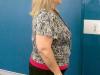
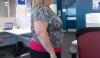
Here are my before pics - they were taken a few months ago but not much changed between then and the start of my pre-op 8 days ago.

Startingpoint1.jpg

Startingpoint2.jpg

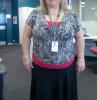
These were taken a day before surgery. I have lost 12 kilos since but haven't taken any new photos yet.

post-224630-13813135994711_thumb.jpg

post-224630-13813135994975_thumb.jpg

  • 2 weeks later...

Hi to everyone.

You are all looking fantastic :clap2:. There is such inspiration here.

I am just doing some face shots for the time being, I'm not seeing a remarkable change in my body yet, but when I do, I'll post them.

At the moment I'm 5 weeks post op. If my photo's work here they'll be of 1 week pre band - 1 week post band and a current pic. Here goes.....

?action=view&current=1WeekPreOpFaceShot.jpg?action=view&current=1WeekPostOp-FaceShot.jpg?action=view&current=5WeeksPostOp.jpg

Sorry - couldn't get that to work.

Here they are - but just 1 week pre op, and current pic.

Amy

1WeekPreOpFaceShot.jpg5WeeksPostOp.jpg

Everyone look fantastic!

Me? Brave? LOL

About 4 weeks post op Lapband, March 2006 (I think) pre tummy tuck, then about 4 weeks po TT, and now.

approx4weekspostoplapband.jpgbeforeside.jpgnow.jpg2yearslater.jpg

I am a size 6 to 8 and in extra smalls in 99.9% of clothes I wear. Funny thing is I went from an 8.5 in shoes to a 6. That is insane.

INSPIRING!!!

Everyone is doing so well, & looking fabulous!!!

I was banded on January 31, have lost 50kg so far, with 10-15kg to go.

I had a band slip 5 weeks ago, & am completely unfilled until mid-January. I'm suprised that I have managed to pretty much maintain my loss (as I feel the same as pre-band), & am hovering between 80-82kg.

email2.jpg

facedec06dec07.jpg

Feebs,

You look like a movie star!

I know this is rude in any other circumstances but look at your arse in that first side shot compared to the last one. Amazing. I'm afraid you're no longer famine resistant however.

Feebs - You look stunning!

I'm curious as to whether you have any problems with loose skin after such a big loss?

Congratulations. Amy

ok here i am in july 2006

IMG_2275.jpg

and this is me july 2007 certainly in progress!!

banded in december 2006

IMG_1376.jpg

Join the conversation

You can post as a guest; create a free account to track replies, follow topics, and be part of the largest weight loss surgery community.

Join the conversation

You can post now and register later. If you have an account, sign in now to post with your account.

Guest
Reply to this topic...

Account

Navigation

Search

Search

Configure browser push notifications

Chrome (Android)
  1. Tap the lock icon next to the address bar.
  2. Tap Permissions → Notifications.
  3. Adjust your preference.
Chrome (Desktop)
  1. Click the padlock icon in the address bar.
  2. Select Site settings.
  3. Find Notifications and adjust your preference.