Skip to content
View in the app

A better way to browse. Learn more.

BariatricPal

A full-screen app on your home screen with push notifications, badges and more.

To install this app on iOS and iPadOS
  1. Tap the Share icon in Safari
  2. Scroll the menu and tap Add to Home Screen.
  3. Tap Add in the top-right corner.
To install this app on Android
  1. Tap the 3-dot menu (⋮) in the top-right corner of the browser.
  2. Tap Add to Home screen or Install app.
  3. Confirm by tapping Install.

Unbelieveable News!

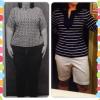
Went for my 1 week post-op checkup...I'm actually a week & a day post op...my blood pressure was NORMAL!!!!! I couldn't believe it, I had the nurse check it again & then again before I left! Surgeon said no more BP meds!!!! I can't believe it! I'm 32lbs down but that includes liver shrink diet weight too! I just had to share! :-)

  • Replies 9
  • Views 1k
  • Created
  • Last Reply

Featured Replies

That's awesome! Congrats!!

That's great news I'm glad your off to a. Speedy recovery.

  • Author
That's awesome! Congrats!!

Thank you!!

  • Author
That's great news I'm glad your off to a. Speedy recovery.

Thank u cupcake!

Awesome. And it gets better. You just wait & see!!!

Bada Bing...Bada Boom....

..HBP...outa here !

post-20464-13813670059979_thumb.jpg

Way to go! Already paying off!

Good for you! Congrats!!!

Sent from my iPhone using VST

Archived

This topic is now archived and is closed to further replies.

Account

Navigation

Search

Search

Configure browser push notifications

Chrome (Android)
  1. Tap the lock icon next to the address bar.
  2. Tap Permissions → Notifications.
  3. Adjust your preference.
Chrome (Desktop)
  1. Click the padlock icon in the address bar.
  2. Select Site settings.
  3. Find Notifications and adjust your preference.