Skip to content
View in the app

A better way to browse. Learn more.

BariatricPal

A full-screen app on your home screen with push notifications, badges and more.

To install this app on iOS and iPadOS
  1. Tap the Share icon in Safari
  2. Scroll the menu and tap Add to Home Screen.
  3. Tap Add in the top-right corner.
To install this app on Android
  1. Tap the 3-dot menu (⋮) in the top-right corner of the browser.
  2. Tap Add to Home screen or Install app.
  3. Confirm by tapping Install.

NSV!

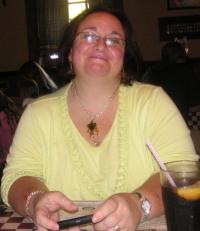
Just quickly wanted to share my first NSV! I'm currently on a plane waiting to take off and.....I didn't need a seatbelt extender! I know many of you will agree when I say what a relief it is not to have to go through the ordeal of asking for one discreetly and hoping no one notices. :-)

  • Replies 5
  • Views 590
  • Created
  • Last Reply

Featured Replies

Way to go, Soccergirl!! You should def revel in that nsv, it's a milestone. Keep up the great work :)

I'm hoping to have the same NSV.. this friday.. :) can't wait to see if my butt fits... fingers crossed!!!!

GOOD for you, what a great accomplishment!

Just quickly wanted to share my first NSV! I'm currently on a plane waiting to take off and.....I didn't need a seatbelt extender! I know many of you will agree when I say what a relief it is not to have to go through the ordeal of asking for one discreetly and hoping no one notices. :-)

I can not wait for this one! Congrats! I actually own two extenders because I didn't want to ask!

I post something on Facebook today, comments read" skinny b***h please, go seat your bony ass" yes yes I like that insult. Scooore!!!!!!!!!!

Archived

This topic is now archived and is closed to further replies.

Trending Products

PatchAid Vitamin Patches

Account

Navigation

Search

Search

Configure browser push notifications

Chrome (Android)
  1. Tap the lock icon next to the address bar.
  2. Tap Permissions → Notifications.
  3. Adjust your preference.
Chrome (Desktop)
  1. Click the padlock icon in the address bar.
  2. Select Site settings.
  3. Find Notifications and adjust your preference.