




Vitamin discovery!
- Replies 1
- Views 620
- Created
- Last Reply
Top Posters In This Topic
-
valerie805 1 post

Popular Days
Posted Images
Featured Replies
Join the conversation
You can post as a guest; create a free account to track replies, follow topics, and be part of the largest weight loss surgery community.
I was shopping at Walgreens looking for liquid Biotin, unfortunately I cannot stomach the pills. Prior to ny discovery I opened the Biotin capsules and poured the powder in my shampoo, conditioner, moroccan oil, castor oil to apply the Vitamin directly to my scalp. Fyi, I do have a lot of new growth from doing this remedy.
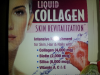
I found liquid collagen which has 2,000 mg of Biotin and 6,000 of Silica which is excellent for hair growth.
The packet says Intensive Nourishment for Skin, Hair and Nails. It comes in a liquid packet you add it to 16 oz of waved and drink. It comes in one flavor strawberry Kiwi. I have to admit it does have a strong vitamin taste to it but who cares I dont want to lose any hair. In addition to what I was doing I'll be drinking this liquid vitamin daily will let you know in a month if any difference.
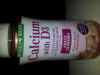
Also came across these yummy gummy Calcium and D3 Vitamins from natures bounty. They are delish.
Here are some pics
[ATTACH]10113[/ATTACH]
[ATTACH]10114[/ATTACH]
[ATTACH]10115[/ATTACH]