Skip to content
View in the app

A better way to browse. Learn more.

BariatricPal

A full-screen app on your home screen with push notifications, badges and more.

To install this app on iOS and iPadOS
  1. Tap the Share icon in Safari
  2. Scroll the menu and tap Add to Home Screen.
  3. Tap Add in the top-right corner.
To install this app on Android
  1. Tap the 3-dot menu (⋮) in the top-right corner of the browser.
  2. Tap Add to Home screen or Install app.
  3. Confirm by tapping Install.

Chia seeds

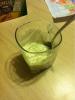
Thanks to OTR! Fat free sugar free cheesecake pudding w/ chia seeds . I def didnt gag!

post-34615-13813662554596_thumb.jpg

  • Replies 7
  • Views 556
  • Created
  • Last Reply

Featured Replies

Looks like you were having fun in your coloring book while eating your chia seeds :P

  • Author

Lmfao! My two boys....and me too...while i was happily enjoying my pudding

Where's OTR ?? Oh OTR !! She wants to show you something!!

"Oh OTR did I do good" " OTR did I chew them enough"

:P

Love you!!

  • Author
:P you are lucky you are cute and make me lol for real. My kids asked me why i was laughin so hard. Laura, did i chew them enough ? :D

Oh I see how it is since OTR is not around. I'm good enough!! Girl I am not going to be your sloppy seconds!

It's me or the man!

  • Author

I will take both ;) lol. Im bad.

Archived

This topic is now archived and is closed to further replies.

Trending Products

PatchAid Vitamin Patches

Account

Navigation

Search

Search

Configure browser push notifications

Chrome (Android)
  1. Tap the lock icon next to the address bar.
  2. Tap Permissions → Notifications.
  3. Adjust your preference.
Chrome (Desktop)
  1. Click the padlock icon in the address bar.
  2. Select Site settings.
  3. Find Notifications and adjust your preference.