Skip to content
View in the app

A better way to browse. Learn more.

BariatricPal

A full-screen app on your home screen with push notifications, badges and more.

To install this app on iOS and iPadOS
  1. Tap the Share icon in Safari
  2. Scroll the menu and tap Add to Home Screen.
  3. Tap Add in the top-right corner.
To install this app on Android
  1. Tap the 3-dot menu (⋮) in the top-right corner of the browser.
  2. Tap Add to Home screen or Install app.
  3. Confirm by tapping Install.

9 weeks pics

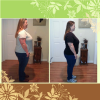
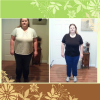
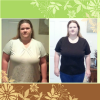
Surgery was Nov 20th. I'm down 43.6 lbs. 7 lbs of that was preop. I'm happy with my progress. I feel so much better in my clothes already. If dropped from a 22 to 16. I still have a long way to go and a lot of times I struggle with myself seeing just how much I still want to lose. But I'm getting there.

Left is day if surgery. Right is yesterday.

post-33179-1381366248398_thumb.png

[ATTACH]8517[/ATTACH]

post-33179-13813662484816_thumb.png

[ATTACH]8518[/ATTACH]

post-33179-13813662485627_thumb.png

  • Replies 5
  • Views 573
  • Created
  • Last Reply

Featured Replies

That's great! Keep up the good work

Great job! You must be feeling pretty good.

I think with the success you've had already, it shouldn't be that long to goal!

  • Author

Thanks guys! I'm hoping it wont take long till goal I want to lose another 80 lbs and I was hoping I could reach goal between 6-8 months post op.

Yes, that is awesome. It's nice to see the results and it's good to take pictures so that when you have a moment of weakness you know where your coming from.

Thanks guys! I'm hoping it wont take long till goal I want to lose another 80 lbs and I was hoping I could reach goal between 6-8 months post op.

Just keep in mind you didn't gain it in a day. So if you don't keep that time frame don't get discouraged!

Archived

This topic is now archived and is closed to further replies.

Trending Products

PatchAid Vitamin Patches

Account

Navigation

Search

Search

Configure browser push notifications

Chrome (Android)
  1. Tap the lock icon next to the address bar.
  2. Tap Permissions → Notifications.
  3. Adjust your preference.
Chrome (Desktop)
  1. Click the padlock icon in the address bar.
  2. Select Site settings.
  3. Find Notifications and adjust your preference.