Skip to content
View in the app

A better way to browse. Learn more.

BariatricPal

A full-screen app on your home screen with push notifications, badges and more.

To install this app on iOS and iPadOS
  1. Tap the Share icon in Safari
  2. Scroll the menu and tap Add to Home Screen.
  3. Tap Add in the top-right corner.
To install this app on Android
  1. Tap the 3-dot menu (⋮) in the top-right corner of the browser.
  2. Tap Add to Home screen or Install app.
  3. Confirm by tapping Install.

Cough Buddy

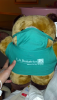
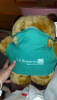
I got the cutest gift from my Dr.'s office last night after I woke up! His nurse walked in and said this is for you from us at the office.

What a great souvenir from the hospital to take home. (other then only a small portion if my stomach)

post-58546-13838396452825_thumb.png

post-41678-13813660594867_thumb.png

post-41678-13813660595301_thumb.png

post-41678-1381366059565_thumb.png

  • Replies 5
  • Views 1.2k
  • Created
  • Last Reply

Featured Replies

  • Author

Don't know why it added 3 pics! I only got one...

  • Author

.

I think those are adorable, they have one thats a moose ive been trying to get my bf to get me hehe :)

Too cute!!! Wish I had one just for fun hehe

  • Author

He is so hard and not cuddly at all. But very cute! Since I haven't had to cough I use him to hold my ice pack in place :)

Archived

This topic is now archived and is closed to further replies.

Account

Navigation

Search

Search

Configure browser push notifications

Chrome (Android)
  1. Tap the lock icon next to the address bar.
  2. Tap Permissions → Notifications.
  3. Adjust your preference.
Chrome (Desktop)
  1. Click the padlock icon in the address bar.
  2. Select Site settings.
  3. Find Notifications and adjust your preference.