Skip to content
View in the app

A better way to browse. Learn more.

BariatricPal

A full-screen app on your home screen with push notifications, badges and more.

To install this app on iOS and iPadOS
  1. Tap the Share icon in Safari
  2. Scroll the menu and tap Add to Home Screen.
  3. Tap Add in the top-right corner.
To install this app on Android
  1. Tap the 3-dot menu (⋮) in the top-right corner of the browser.
  2. Tap Add to Home screen or Install app.
  3. Confirm by tapping Install.

My Preop Diet

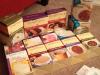
I had my nutrition class and and pre surgery testing today. I start this diet June 14 and surgery. June 28.

post-28479-13813658895508_thumb.jpg

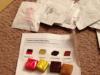
post-28479-13813658896227_thumb.jpg

  • Replies 6
  • Views 635
  • Created
  • Last Reply

Top Posters In This Topic

Posted Images

Featured Replies

I had my nutrition class and and pre surgery testing today. I start this diet June 14 and surgery. June 28.

My diet starts June 19 sleeve July 3rd
  • Author

Great! This is the beginning of a new life... :)

I had my nutrition class and and pre surgery testing today. I start this diet June 14 and surgery. June 28.

I'm currently drinking the cocoa from your picture, its really good, its 2 of my 5 protien drinks every day during this pre-op diest phase....The lemon Razy is good, but I would suggest to use 12oz of water instead of the 8....the 8oz tasted like concentrated kool-aid to me...

good luck and keep us posted!!

  • Author

Thanks for the suggestion and I will def keep updated. How are you tolerating the diet so far?

So far so good, I suggest keeping protien drinks and sugar-free jello around you...I only eat if my stomach grumbles....

  • Author

Okay thank you and I will get some jello

Join the conversation

You can post now and register later. If you have an account, sign in now to post with your account.

Guest
Reply to this topic...

Trending Products

PatchAid Vitamin Patches

Account

Navigation

Search

Search

Configure browser push notifications

Chrome (Android)
  1. Tap the lock icon next to the address bar.
  2. Tap Permissions → Notifications.
  3. Adjust your preference.
Chrome (Desktop)
  1. Click the padlock icon in the address bar.
  2. Select Site settings.
  3. Find Notifications and adjust your preference.