Skip to content
View in the app

A better way to browse. Learn more.

BariatricPal

A full-screen app on your home screen with push notifications, badges and more.

To install this app on iOS and iPadOS
  1. Tap the Share icon in Safari
  2. Scroll the menu and tap Add to Home Screen.
  3. Tap Add in the top-right corner.
To install this app on Android
  1. Tap the 3-dot menu (⋮) in the top-right corner of the browser.
  2. Tap Add to Home screen or Install app.
  3. Confirm by tapping Install.

half way to goal!

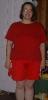
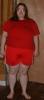
After 8 months on the band, i have lost 56lbs and i am half way to my goal weight!! life is just getting sweeter and sweeter! here are my most recent before/during pictures. See kats pics below. i couldn't get mine to resize smaller but kat did. Thanks kat!!

  • Replies 12
  • Views 1.2k
  • Created
  • Last Reply

Top Posters In This Topic

Posted Images

Featured Replies

Hey Desi,

Your looking smashing! You can see a big difference in your face and legs, and look at that waist! Great job!

I resized the photos for you, I enlarged the smaller one its a bit blurry but at least you can get a better idea. Hope thats ok! :eek:

Desi80

post-203909-1381313333799_thumb.jpg post-203909-13813133341101_thumb.jpg

post-206234-13813133129817_thumb.jpg

post-206234-13813133129995_thumb.jpg

AAAAAAAAWWWWWWWsome. I love that you are wearing the same clothes and we can see how baggy they are getting.

You look awsome. Keep up the hard work.

WoooooHooooo half way feels great!!!!!! I know how great you are feeling right now. Keep up the great work, just think, next picture you will have to hold those shorts up, maybe put your whole body in one leg???~Mandy

Desiree....CONGRATULATIONS!!!!!!!! GOOD JOB!!!!!!!!!! You look BEAUTIFUL!!! Keep up the good work....just look at the pix for more motivation!!!! I can hardly wait til I'm 1/2way....but got a while!!! :)

God Bless,

Melody

Banded 3/20/06 -29lbs

You can REALLY see a BIG difference in the 2 pictures and you're looking great. Congratulations on your milestone.

Join the conversation

You can post now and register later. If you have an account, sign in now to post with your account.

Guest
Reply to this topic...

Trending Products

PatchAid Vitamin Patches

Account

Navigation

Search

Search

Configure browser push notifications

Chrome (Android)
  1. Tap the lock icon next to the address bar.
  2. Tap Permissions → Notifications.
  3. Adjust your preference.
Chrome (Desktop)
  1. Click the padlock icon in the address bar.
  2. Select Site settings.
  3. Find Notifications and adjust your preference.