




Skip to content
View in the app

A better way to browse. Learn more.

BariatricPal

A full-screen app on your home screen with push notifications, badges and more.

To install this app on iOS and iPadOS
  1. Tap the Share icon in Safari
  2. Scroll the menu and tap Add to Home Screen.
  3. Tap Add in the top-right corner.
To install this app on Android
  1. Tap the 3-dot menu (⋮) in the top-right corner of the browser.
  2. Tap Add to Home screen or Install app.
  3. Confirm by tapping Install.
  • Appearance

Join BariatricPal free

  • Ask your own questions
  • Reply and follow topics
  • Message other members
  • No cost, no spam

ticker

i cannot see my butterfly/ticker when logged in..although i can see it when i am not logged in

i have used foxfire, mozilla, ie, windows 8, google chrome and its the same..

on my work pc, my ipad, my lap top and reg desk top at home

any ideas as to why?

  • Replies 9
  • Views 889
  • Created
  • Last Reply

Top Posters In This Topic

Most Popular Posts

  • Alex Brecher
    Alex Brecher

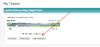
    I checked your tickers. You needed to click on "Add To Signature": I took care of this for you.

  • Alex Brecher
    Alex Brecher

    Please let me know if anything like this occurs again. We're not aware of any site-wide issues at the moment.

  • Thanks Alex for always taking care of our tech problems! I really enjoy LBT.com.

Posted Images
Featured Replies

I can see a butterfly but I don't see a ticker on your posts.

I think the site may be acting up. People were having problems seeing pictures in one of my posts yesterday, but not everyone, just some people.

i cannot see my butterfly/ticker when logged in..although i can see it when i am not logged in

i have used foxfire, mozilla, ie, windows 8, google chrome and its the same..

on my work pc, my ipad, my lap top and reg desk top at home

any ideas as to why?

You have a ticker set up ?

I only see your butterfly in your signature.

i cannot see my butterfly/ticker when logged in..although i can see it when i am not logged in

i have used foxfire, mozilla, ie, windows 8, google chrome and its the same..

on my work pc, my ipad, my lap top and reg desk top at home

any ideas as to why?

I checked your tickers. You needed to click on "Add To Signature":

Photo 35.jpg

I took care of this for you.

Screen Shot 2013-01-27 at 2.22.46 PM.png

I can see a butterfly but I don't see a ticker on your posts.

I think the site may be acting up. People were having problems seeing pictures in one of my posts yesterday, but not everyone, just some people.

Please let me know if anything like this occurs again. We're not aware of any site-wide issues at the moment.

  • Author

i guess i should have been more specific (no ticker)

i only have the butterfly but when i am on the forum, i cant see it after i post..

i can only when i am not logged in (then i see my butterfly)

I see it with your ticker of weight loss How did u get Alex to respone? ask him to put a spell check on please I really need that help

I see it with your ticker of weight loss How did u get Alex to respone? ask him to put a spell check on please I really need that help

We have no immediate plans on adding spell check. It's built into most modern day web browsers today. Which browser are you using please ?

Thanks Alex for always taking care of our tech problems!

I really enjoy LBT.com.

I see your ticker loud and clear CG. Not sure how that helps you though.... :unsure:

Join the conversation

You can post as a guest; create a free account to track replies, follow topics, and be part of the largest weight loss surgery community.

Join the conversation

You can post now and register later. If you have an account, sign in now to post with your account.

Guest
Reply to this topic...

Account

Navigation

Search

Search

Configure browser push notifications

Chrome (Android)
  1. Tap the lock icon next to the address bar.
  2. Tap Permissions → Notifications.
  3. Adjust your preference.
Chrome (Desktop)
  1. Click the padlock icon in the address bar.
  2. Select Site settings.
  3. Find Notifications and adjust your preference.



