




- Replies 5
- Views 700
- Created
- Last Reply
Top Posters In This Topic
-
Summerrain 1 post
-
Kime-lou 1 post
-
A New New Dawn 1 post
-
Trisaddi 1 post



Popular Days

Featured Replies
Join the conversation
You can post as a guest; create a free account to track replies, follow topics, and be part of the largest weight loss surgery community.
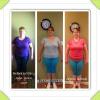
Hey guys! I went to my first fill app yesterday. It went great! I've been kinda down lately about my weight loss slowing down. I'm still losing 1.5-2 lbs a week, which I know is good... I'm just greedy Well apparently according to my Dr., I am doing beyond amazing and I am doing just as good as a bypass patient!! <--- (This made me extremely happy) He seemed really surprised. I've lost 35 lbs since Aug 29th. He gave me 1 cc, and he doesn't think ill need much more at this point. This just gave me more encouragement to keep going! Only 1 more pound to Onderland...just wanted to share my news
  Have a great day everyone!!!