Skip to content
View in the app

A better way to browse. Learn more.

BariatricPal

A full-screen app on your home screen with push notifications, badges and more.

To install this app on iOS and iPadOS
  1. Tap the Share icon in Safari
  2. Scroll the menu and tap Add to Home Screen.
  3. Tap Add in the top-right corner.
To install this app on Android
  1. Tap the 3-dot menu (⋮) in the top-right corner of the browser.
  2. Tap Add to Home screen or Install app.
  3. Confirm by tapping Install.

2005 Christmas pics

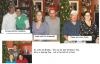
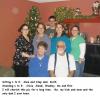
Just wanted to share my pics this year. So share yours as well.

post-204009-13813132581242_thumb.jpg

  • Replies 18
  • Views 2.3k
  • Created
  • Last Reply

Top Posters In This Topic

Posted Images

Featured Replies

  • Author

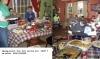
OK so I lied. There is one more but you have to admit you can't have all these pics and not see what we ate. I was so full that day. I couldn't even eat a piece of coconut cake my daughter made. SIGH!! Such good food and company.

post-204009-13813132607605_thumb.jpg

Oh Penni, those are great !!! Everyone looks so happy and so loved !! What a BEAUTIFUL family.

Hope you had a happy holiday.

Here's to a great 2006 !

Oh I love pictures !!

Thanks for sharing your beautiful family with me Penni. You can post as many as you want, I'll never get bored.

I'll try to get some on soon (as soon as DH will down load them).

Hugs and Kisses !!!

Thanks for all the great pics! It looks like you had a really nice holiday. Mmm.. coconut cake...

On a side note, I see you like color on your walls... I have every room in my house painted a different color, lol. My kitchen/great room is the same green as your dining room. :)

my sister sent "moon shoes" to my DS. He loves these things--they are now the first thing he puts on and the last thing at night--everything in my tiny house is now very likely to be destroyed very soon!

santa070.jpg

Join the conversation

You can post now and register later. If you have an account, sign in now to post with your account.

Guest
Reply to this topic...

Trending Products

PatchAid Vitamin Patches

Account

Navigation

Search

Search

Configure browser push notifications

Chrome (Android)
  1. Tap the lock icon next to the address bar.
  2. Tap Permissions → Notifications.
  3. Adjust your preference.
Chrome (Desktop)
  1. Click the padlock icon in the address bar.
  2. Select Site settings.
  3. Find Notifications and adjust your preference.