
JanineVSG
Gastric Sleeve Patients
-
Joined
-
Last visited
-
-
-
-
-
-
-
-
-
-
-
-
-
-
-
-
-
I may have been a little premature in that statement. I'm definitely feeling those squats now, lol! But we are definitely getting better every day Yes, you should definitely take photos! It's so nice to be able to compare. You won't notice any changes for a while, and then once you look back at an old photo... it'll be such an amazing experience.
-
I track all my weight on this Epic Weightloss Spreadsheet from Reddit. It requires a little bit of an understanding of Google Documents in order to use it correctly, but I am very visually oriented and I like seeing the graph. I also like that it has a space to put notes on your day (I use it to track my pants sizes as they go down, lol) As for numbers, I calculate total lost from my absolute highest weight recorded at a doctor's office (I'm sure I weighed more at one point) and also calculate how much lost since surgery.
-
 JanineVSG reacted to a post in a topic:
Crap I Eat In a Day - Week 4 (Piccys! All bare! All nekkidy! All Day!)
JanineVSG reacted to a post in a topic:
Crap I Eat In a Day - Week 4 (Piccys! All bare! All nekkidy! All Day!)
-
-
28 lbs! That's fantastic! Great job I take pictures all the time. I'm kind of addicted to progress photos, lol. Plus... I'm finally able to wear some of the cuter clothes that have been hiding in my closet! It probably is. Cold water definitely makes me feel sick. Room temp is the way I go post-VSG. I don't mind it, but dang do I miss a refreshing glass of ice water after a hard workout... Speaking of workouts, last night I was at the gym for like, an hour and a half, but I'm hardly sore at all today. I need to start upping my weights. At least I know I'm making progress!
-
-
Hi Marty, how far out are you? Are you getting nausea at certain times (like after eating something in particular)? I don't deal with a lot of nausea anymore, but I realized early on that I can't drink cold water in the morning or I'll dry heave. A lot of us have to quickly learn how to identify foods that upset our new tummy.
-
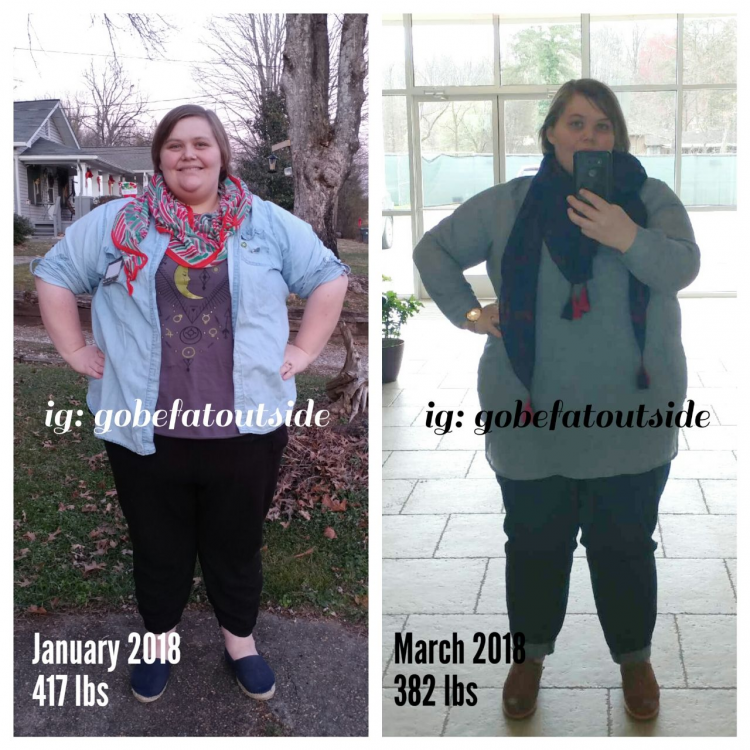
Mine's more of a "before and during." 2 months post op, 35 lbs down (~75 overall) And here's a face comparison (my friend overlaid two selfies from January to March):

-
I love your sense of style! You look great!
-
Have you ever tried Couch to 5k? http://www.c25k.com/ A lot of people swear by it! Another fun app to get into running is "Zombies Run". It makes your jogs/runs into audio dramas about the zombie apocalypse!! Just remember to take it slow so you don't get shin splints or anything like that :)
-
I am not sure I have any worthwhile advice, but I just wanted to let you know that I hear your struggle and I hope things get better for you. Stay the course; 2 weeks will fly by in no time at all. If you feel like you're not getting enough support from your spouse (which it sounds like you aren't), just know you can always find support on this forum.
-
That's so crazy. Not wanting people to publish their Before and Afters?? That's insanity! We all have to work hard, no matter where we started. Some of us have to work a little longer, still, but the journey is still hard... there's just no pleasing some people!
-
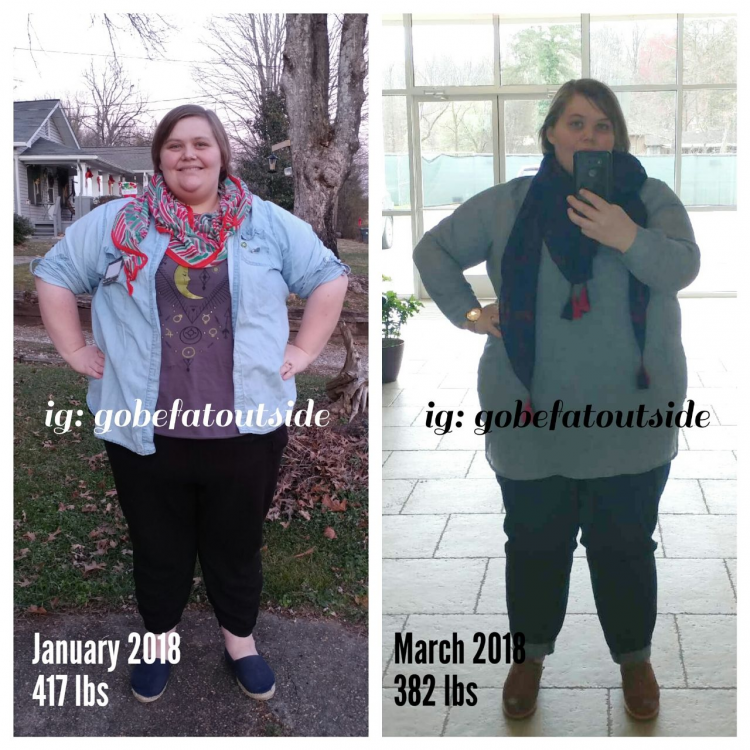
Hey sleevers, how y'all doing? Here's a 2 month update from me. (btw, I watermark all my images so no one can steal them. I recommend everyone does this for their wls photos!!)
-
You look awesome!!! Congratulations on all your hard work!!! [emoji322]
-
Hey OP, are you taking a B vitamin? It will make your pee neon yellow. It's pretty freaky! But your tongue does indicate dehydration. One way to test for dehydration is to pinch your skin on your hand. Google "dehydration pinch test". If the skin seems to stick together, you might be dehydrated. If it moves back into place, you're ok.
-
With the gastric sleeve, you can expect to lose 75% of your excess body weight. Your profile says you are 5'7", so your ideal weight is 115-155. You have an excess of 289-155, so about 134. So 75% of that is about 100 lbs, which means you could expect to get down to at least 180! That's totally possible There's other way to calculate ideal body weight, too... here's one from Moose and Doc: http://halls.md/ideal-weight/body.htm
-
Do you use a CPAP or anything? I find that I can't get to sleep unless I put my mask on. Otherwise, I get too restless... One key thing to consider when you're having issues sleeping is electronics use. Some people recommend not using any electronic devices like your computer or phone in bed, because you need to associate your bed only with sleeping. So, don't sit and read in bed, don't study in bed... just use your bed for when you're tired.
-
Like a lot of others have said, I retain water during my cycle! I got the IUD before surgery as recommended by my doctor. Even though I'm on the IUD, I think I still have a cycle of sorts, and I notice I get more hormonal/my body feels differently each month, even though I'm not menstruating. That being said - I think the most important thing to remember is that a pound is 3500 calories. If you weigh in and you've suddenly gained weight, it's most likely water weight. Why? Well... it's really freaking hard to not only eat back what you burn each day, let alone another 3500 on top of that, when we have such teeny tummies. That's what helps me get through the wild ride that is weighing in! Haha