JRaye
Gastric Sleeve Patients
-
Joined
-
Last visited
-
-
-
-
You are gorgeous!
-
-
-
-
-
-
-
-
-
We have consolidated a couple of our office buildings recently and I've run into a couple co-workers I haven't seen in a few years. I of course knew them, but they didn't know who I was. So I had to reintroduce myself to them. The last time I saw them I was wearing a size 16 or 18 and now I'm in a 6
-
-
-
-
-
-
You are doing great!
-
-
-
-
-
Congratulations! That's fantastic! Keep up the great work and progress!
-
Is it just me or does anyone else feel like nothing they eat tastes good? I feel like my taste buds have changed. (I'm two months post-op) Also,I feel like my sense of smell has changed too. I feel badly for my poor fiancé. If he has onions during the day, he has to face the other direction when we are sleeping because his breath makes me want to barf. Poor guy. LOL
-
Thank you
-
I was sleeved on 4/6 and weighed 233. I weighed myself this morning and was 203. My weight loss this second month has definitely slowed down, but I am happy with where it is going. I have not exercised as much as I should have because the day after my surgery I found out my mom has pancreatic cancer so she has with me for three of the weeks since surgery. I've taken her to the Mayo clinic for doctor appointments and also have been at her house cleaning and cooking. I have not taken care of myself as much as I should have, but she is most important to me right now. Anyway, I have mostly felt good but have not had a lot of energy and have been pretty tired. I can't eat much and never feel hungry so I am hoping that once I get into the routine of faithfully exercising, that the pounds will start coming off a little easier again. Best of luck to you!
-
Sorry to hear about your complication. But thank goodness you mentioned your problem on here and listened to the advice of others and got help. Hope you are on the mend now and doing better.
-
I know! I feel like it's a freaking cow stomach or something! Lol!
-
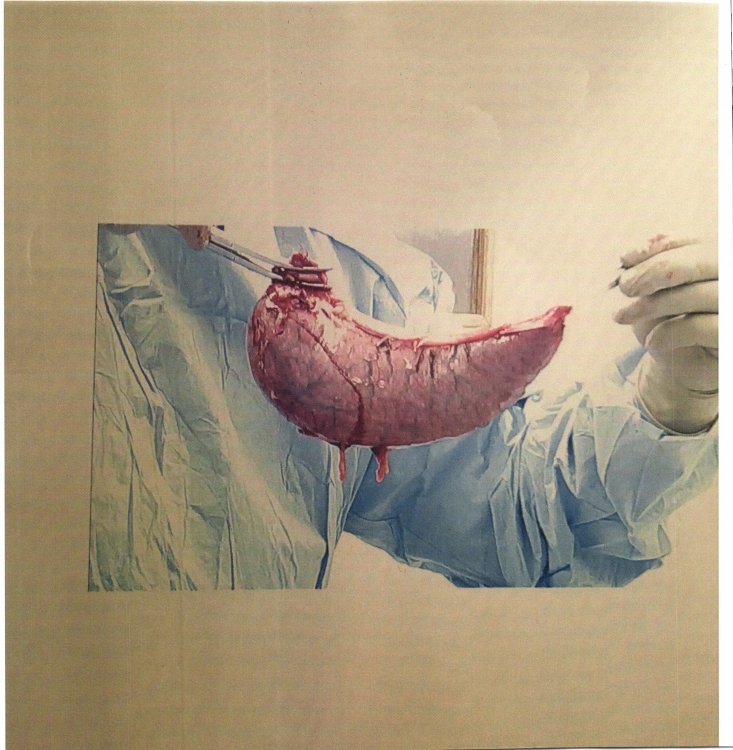
Here's 80% of my stomach!
-
Here it is!
-
You ladies might appreciate this one - you guys not so much. I used to pee a little when I coughed, but after the doc took out my big-a$$ed stomach - no longer do I have that problem. I don't know what the deal is, but ever since surgery that has not been a problem. Oh the small things in life that bring us joy! On a side note - if any of you didn't get a pic from your doc of what your stomach looked like and would like to see a pic, let me know and I can post a pic of mine. I thought it was quite interesting.
-
Don't listen to them. You are gorgeous! I'd say they are jealous!
-
I lost exactly 20 pounds at the 4 week mark. Tomorrow I will be 5 weeks post-op and I am down 22 pounds as of today. Best of luck to you.
-
Just want to tell you guys about a food that was recommend to me on this site - EGG DROP SOUP. It has saved my life. I can't tell you how much of it I have eaten. It is warm, delicious and wonderful.