Skip to content
View in the app

A better way to browse. Learn more.

BariatricPal

A full-screen app on your home screen with push notifications, badges and more.

To install this app on iOS and iPadOS
  1. Tap the Share icon in Safari
  2. Scroll the menu and tap Add to Home Screen.
  3. Tap Add in the top-right corner.
To install this app on Android
  1. Tap the 3-dot menu (⋮) in the top-right corner of the browser.
  2. Tap Add to Home screen or Install app.
  3. Confirm by tapping Install.
  • Appearance

Join BariatricPal free

  • Ask your own questions
  • Reply and follow topics
  • Message other members
  • No cost, no spam

kristenashley

LAP-BAND Patients
  • Joined

  • Last visited

  1.    deadmanwalking reacted to a gallery image: image
  2.    shargurl reacted to a post in a topic: New to site...surgery in less than 2 weeks
  3.    ang1129 reacted to a post in a topic: New to site...surgery in less than 2 weeks
  4.    deadmanwalking reacted to a gallery image: image
  5. Images added to a gallery album owned by kristenashley in Member Photo Gallery
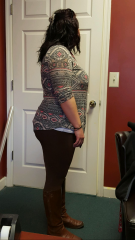
    Just me before lap band!!!, a weight loss surgery photo album by kristenashley on BariatricPal. 15 photos in Member Photo Gallery.
  6. BayougirlMrsS started following kristenashley
  7. Shargurl.. I just messaged you! I am in the exact same boat as y'all! BMI was 35, paid full price, and want to lose 65 pounds!!!! We got this!!!
  8. So sorry you had to deal with that!!! Glad you are back!!! Cheers to a new life! And a new you! And hopefully finding someone who appreciates you snd all your hard work!!!!!!!
  9. I was banded the 12th!!! My tummy hurt the worst! Lol I'm supposed to be on a clear liquid diet the first week! I went ahead and had some thin grits yesterday though! Totally helped with the hunger!!!
  10. I live in Byron and am about to be banded February 12th!! If you wanna talk, email me.. Kristenashleymo@gmail.com
  11. Hey!!! I live in Byron & am about to be banded on February 12th!!!

Account

Navigation

Search

Search

Configure browser push notifications

Chrome (Android)
  1. Tap the lock icon next to the address bar.
  2. Tap Permissions → Notifications.
  3. Adjust your preference.
Chrome (Desktop)
  1. Click the padlock icon in the address bar.
  2. Select Site settings.
  3. Find Notifications and adjust your preference.