eliminnowp
Gastric Sleeve Patients
-
Joined
-
Last visited
Everything posted by eliminnowp
-
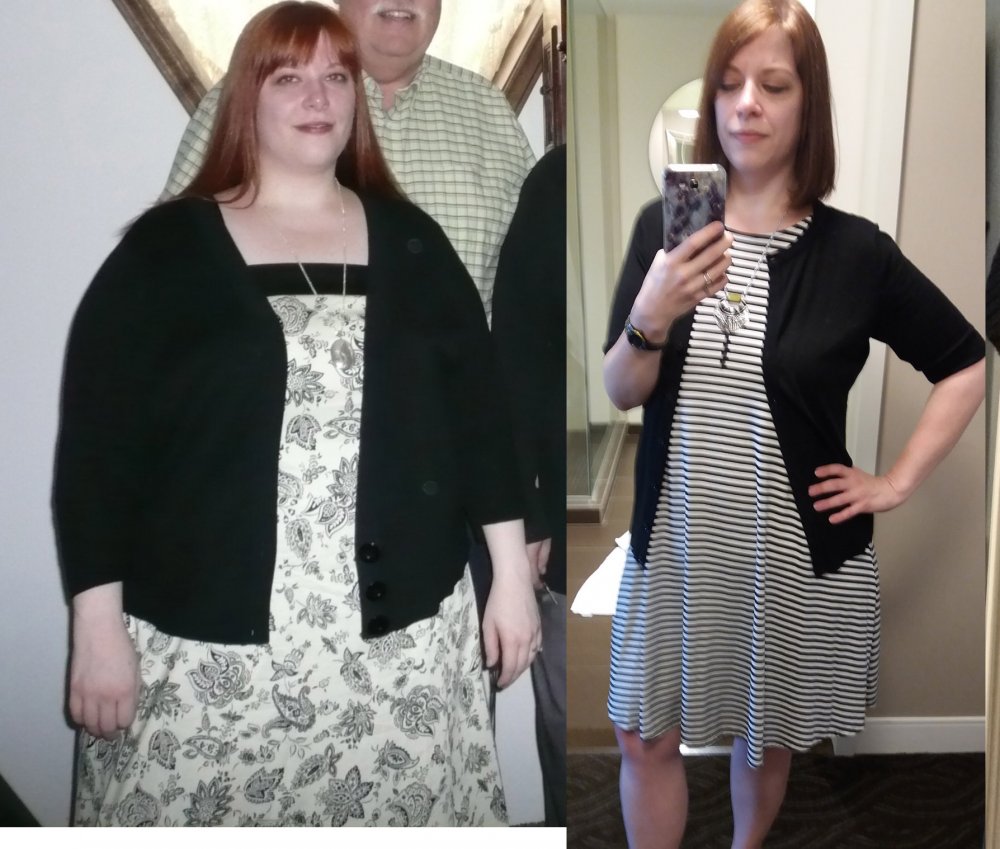
Still progressing! Slowly but surely...
-
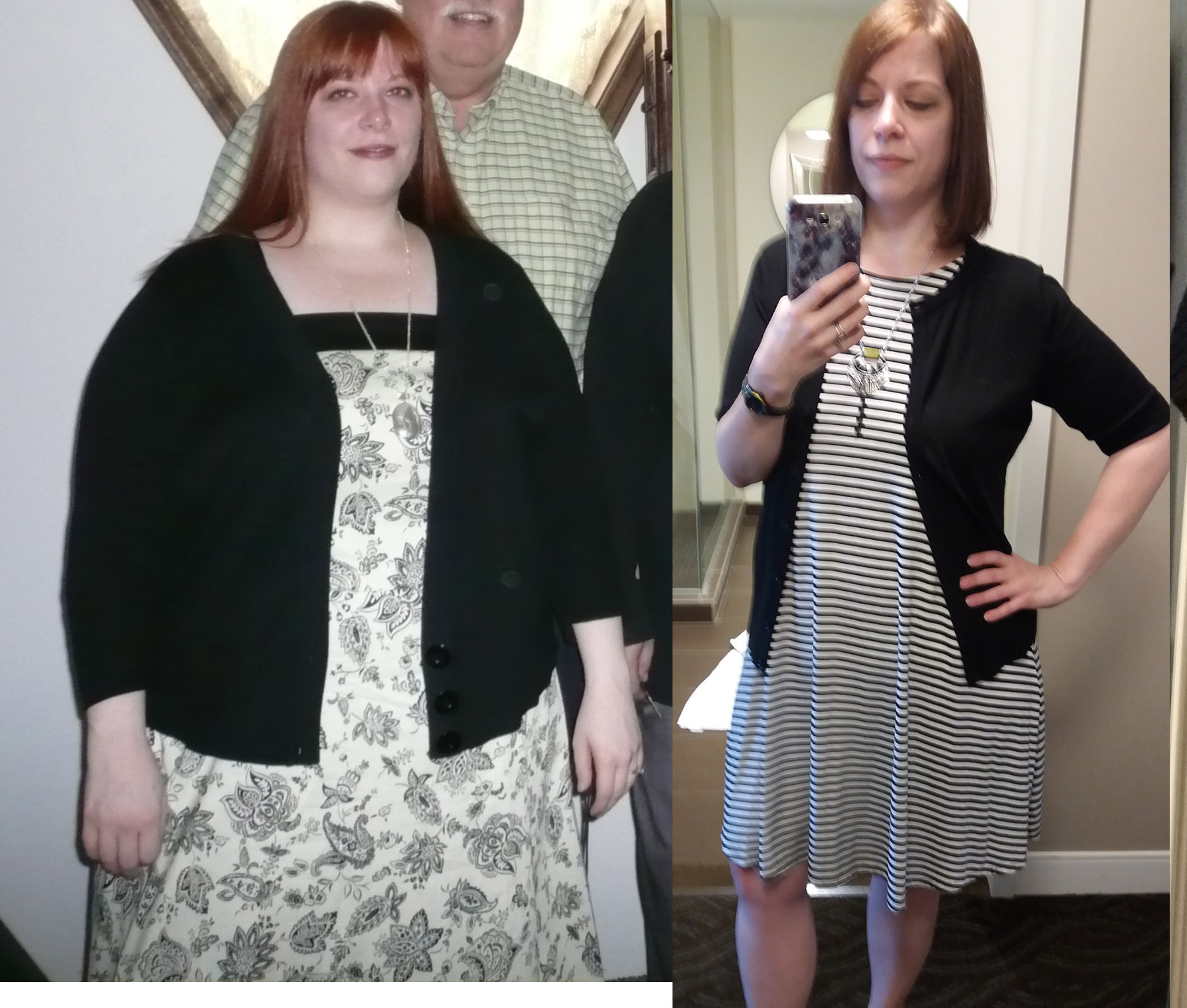
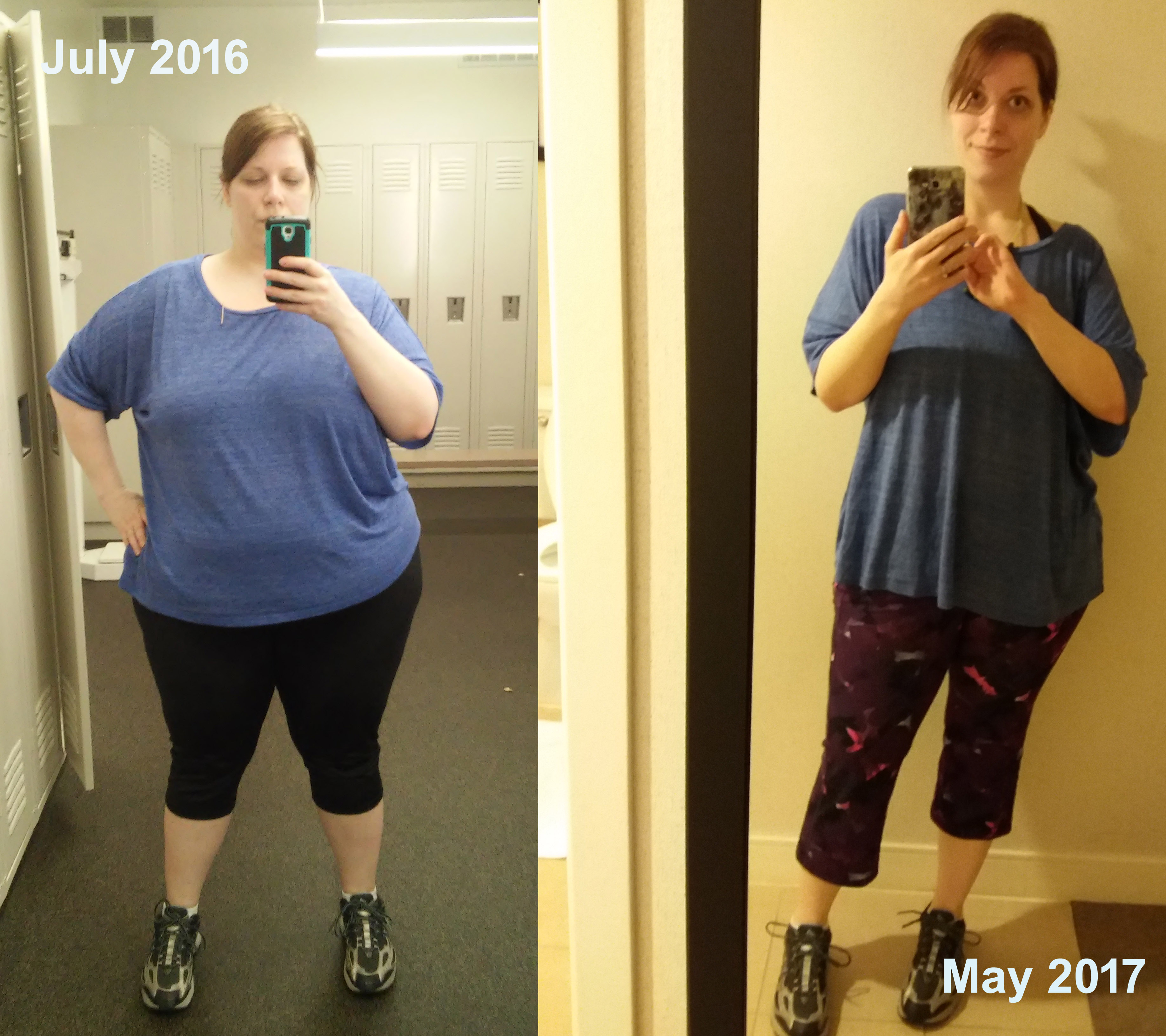
Before and After, a weight loss surgery photo album by eliminnowp on BariatricPal. 2 photos in Before and After Gastric Sleeve Photos.
-
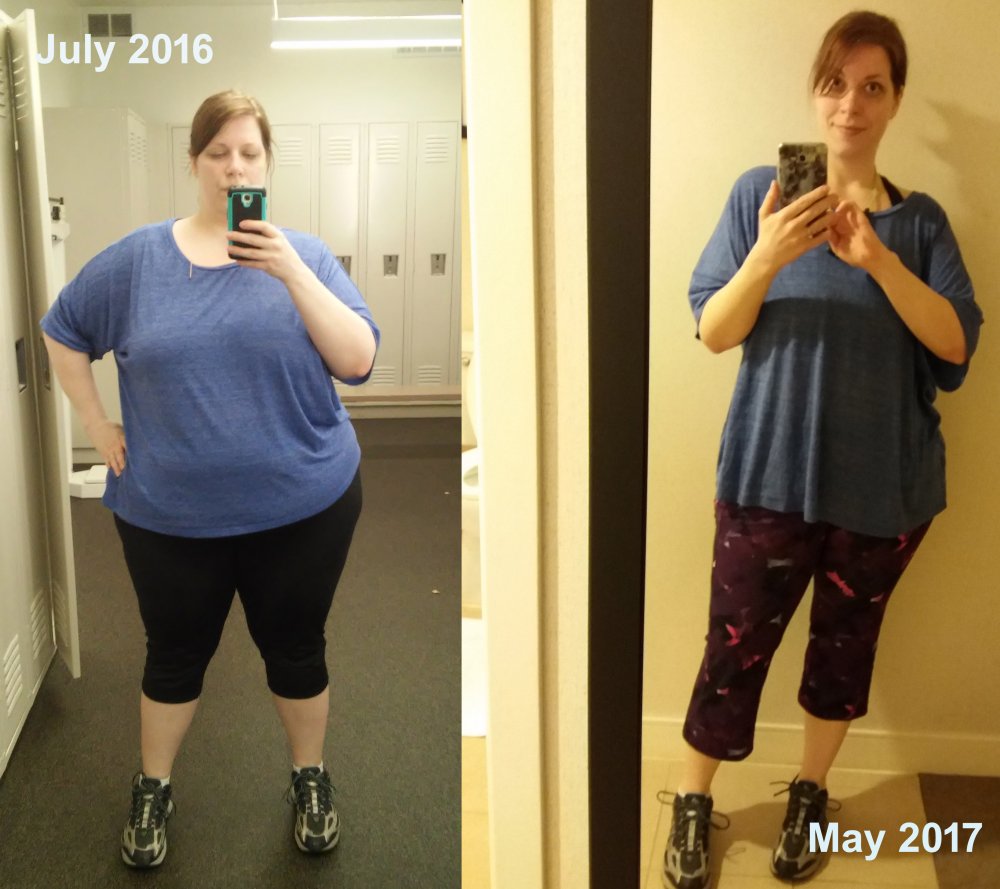
A work in progress. 285 > 182 I still don't have any full lengths not in gym clothes. After spending so many years hiding from the camera it's hard to get used to taking photos!
-
That sounds like it could be dumping syndrome. Many people in my support group who had RNY said dumping sometimes affected their heart rate, and some said it can feel like a heart attack.
-
I recently felt some hard spots on my side and found my hipbones!
-
@OutsideMatchInside - what you said about hitting your target makes sense. When I had my 6 month follow up they told me I had lost 65% of my excess weight, and for VSG they tell people to expect 50%- 60%. They said people can definitely push past that, so I'm not going to give up yet! I'm still tracking food and exercising. I'd like to lose at least another 25- 35 lbs. I just need to accept that it may not happen as quickly.
-
I know we all have a wide range of experiences when it comes to our weight loss, but I'd like to get some general perspective on how quickly people's losses started to slow down post-op. Long term, most of us don't continue to lose as fast as we did the first few months. So when did that change for you, and how much did it slow down? I am between 7- 8 months out and it seems like things are slowing down (and I've been a relatively slow loser to begin with!) My first month post op I lost about 17 lbs, and immediately after that I dropped to 8-10 a month until the past month. Now it's looking like 5-6 a month. I'm not sure if it's just a stall or if this is part of the "normal" progression. Thx
-
If you are shopping for individual policies (coverage that is not provided through an employer) they are not likely to cover bariatric surgery. People would just sign up to get an expensive surgery paid for and then drop the policy and the insurance co would lose money. Sent from my SM-J700P using the BariatricPal App
-
I heard that about 13% of vsg patients experience dumping syndrome. So yes it can happen, but it isn't something that all vsg patients experience. Sent from my SM-J700P using the BariatricPal App
-
At almost 5 months out I haven't forgotten that I have it. (I'm reminded every time I eat a small portion or get full easily, or say no to a sugary carby food) but I am used to it to the point that I don't think about it all the time. It seems more normal now I guess. Sent from my SM-J700P using the BariatricPal App
-
I would love to lose my booty, but it's a really slow process for me. But I have a bad fat booty, not a good fat booty My boobs on the otherhand...gone in a flash. That was the fat I wanted to keep! Sent from my SM-J700P using the BariatricPal App
-
So sorry you are going through the job stress. That is hard. I am a reletive newbie (almost 5 mo postop) so I can't speak to the long term maintenance struggles, but when it comes to handling stress, working out is a huge help for me. It makes me feel better, gets those positive neurotransmitters flowing, and it knocks down my urge to eat (at least for a while!) If you have emty hours during your job search that is a great opportunity to go for a walk or jog (and it's free no gym needed!) Sent from my SM-J700P using the BariatricPal App
-
Yes I had pain. I'm not going to sugar coat that, but did I survive? Of course. I think your level of "tolerance" depends on how melodramatic you are ???? Sent from my SM-J700P using the BariatricPal App
-
@@KristenVSG2014 Amazing! How long did it take you to get to your goal?
-
Mine have definitely shrunk a bit. I'm not quite down a whole cup size but they look a lot less full than before. Band size has shrunk too which is the silver lining I guess. Sent from my SM-J700P using the BariatricPal App
-
My surgeon doesn't do a barium swallow type leak test post surgery. He does a manual leak test before the surgery is complete by putting air through the newly stapled stomach and checking for leaks. Sent from my SM-J700P using the BariatricPal App
-
I lose about 10 lbs a month averaged out. The first month was higher at 17 lbs, but it has slowed down since. Sent from my SM-J700P using the BariatricPal App
-
Try pinterest for low carb and vegetarian recipes. Sometimes you might have to make substitutions. For example, spiralized zucchini in place of Pasta or veggie "fake" meat crumbles in place of ground beef. Once you have some recipes you like, meal planning and prepping just takes some basic organization. Pick a day of the week to come up with your plan for the week, your grocery list , and shop. Some people like to cook a bunch of stuff all on one day, then portion it out into tupperware for each day of the week. Personally I usually take a less regimented approach. I cook each day, and the leftovers of dinner become lunches for the rest of the week or go in the freezer. Sometimes I will make a big crockpot dish on Sunday and portion it out. I'm not a vegetarian, so I don't have a ton of advice on recipes for you, but there are people who make it work with wls. (I do love all the frozen Morningstar vegetarian items at my grocery). There is a food and nutrition section in the main forums on here that might help. I've also run into vegetarian wlsers on reddit and youtube so those might be places to look for suggestions. What were your main sources of Protein pre-op? Or did you become vegetarian post-op?
-
I had a beer at 3 months out. I had no issues with carbonation, no discomfort. I felt the same level of drunkeness as I would have pre-op. No big whoop. I did drink it very slowly, over about 1.5 hr. Also it was poured into a cup. Since I want to continue having sucessful weightloss I don't plan on making it a regular habit - just a special occasion treat till I'm at an improved and manageable weight.
-
Amazing! Sent from my SM-J700P using the BariatricPal App
-
I love data. Thanks for sharing this. Sent from my SM-J700P using the BariatricPal App
-
I am not a vegetarian but I LOVE all of the morningstar farms meatless frozen products, especially the griller- style "burgers" the buffalo "chik" patties and the "sausage" patties. The grillers have 15 g of Protein. Slap on a slice of reduced fat cheese, reduced sugar ketchup, and some pickle relish and you've got a quick tasty meal with lots of protein. Sent from my SM-J700P using the BariatricPal App
-
Not all people would consider talking for two weeks and going on a date as setting an expectation for a serious, exclusive relationship. Have you two talked about not seeing other people? If he has not agreed to an exclusive relationship with you, I don't think you can expect him to stop talking to other women or dating around. You would want to talk about how you feel and see if he feels the same way. If he said he wasn't going see other people and he continues to do so...that is a problem. You need to communicate your expections and if he is not going to meet those expectations there is no reason to be with him unless you enjoy disappointment. Sent from my SM-J700P using the BariatricPal App
-
I didnt lose in the first two weeks after surgery and had gained about a pound one week out. It was really frustrating and hard not to be dissappointed, but eventually things picked up and weight started dropping off. I've had plateaus since then (in one right now) and I just have to stay patient and positive, follow the plan, and trust that the scale will move again. I know it's easier said than done, but you can do it! Hope you are feeling better soon. Sent from my SM-J700P using the BariatricPal App
-
I was exhausted for a month after surgery. Your energy will come back but it takes time. Your body has been through a lot. Take care of yourself and get as much sleep and rest as you can - and don't be afraid to ask for help and say no when you need to. Sent from my SM-J700P using the BariatricPal App