Ravend26
Gastric Sleeve Patients
-
Joined
-
Last visited
Everything posted by Ravend26
-
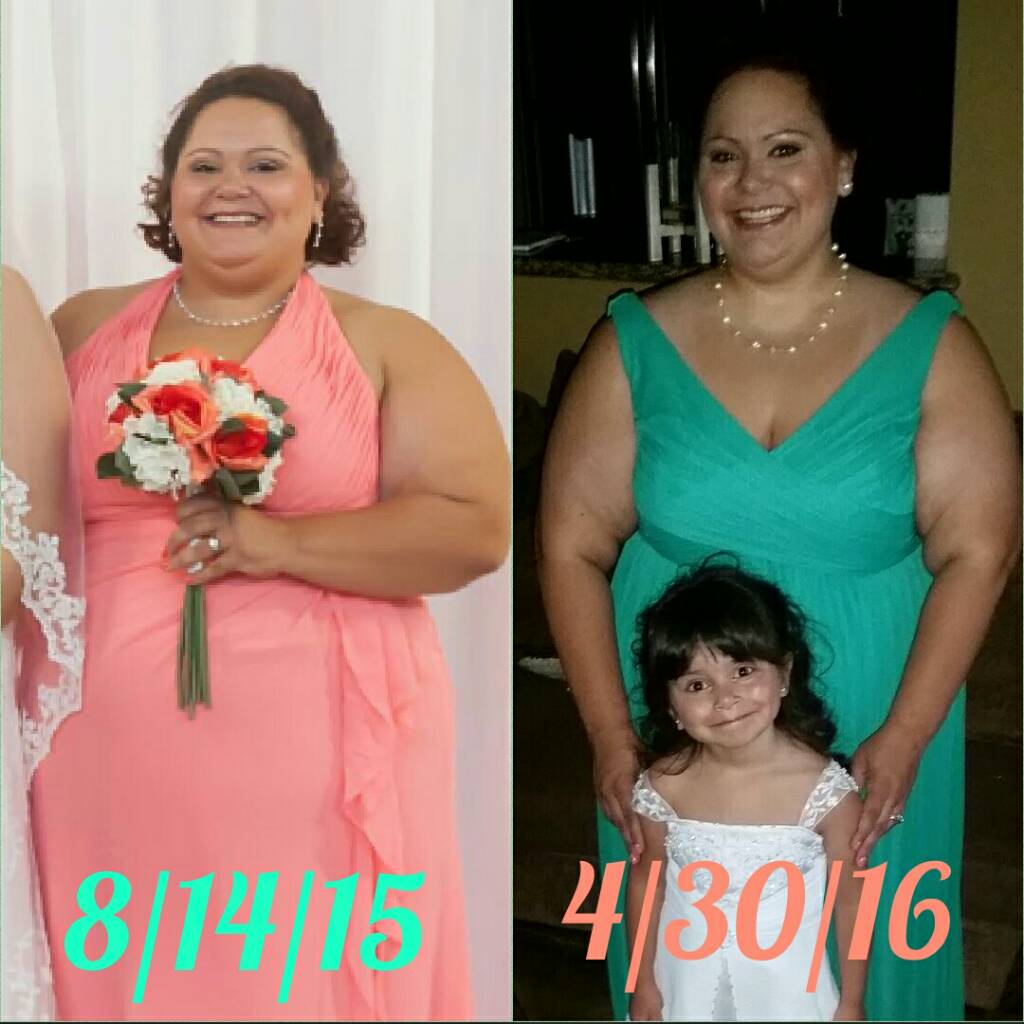
5 1/2 months out and down 75 pounds!

-
I have BCBSIL. I started on my WLS journey in august 2015. My bmi was 56 or 57, insurance required psych eval and 30 day follow up with surgeon. Because I was a bad snorer, surgeon required sleep study which confirmed sleep apnea. Got my cpap and everything was filed the end of October. End of November I got the call of approval and 12/14/15 I was sleeved. So for my experience it was only a 4 month process. Good luck to you!
-
4 weeks post op tomorrow and I'm down 30lbs!
-
I was sleeved on Monday 12/14. I knew I'd see some weight loss but I guess I really wasn't expecting what I saw on the scale this morning. I weighed myself at the hospital before I left Tuesday and then again at home just to compare the two. Both gave me the weight of 353lbs. (my all time heaviest) when I got on the scale this morning, I think I got on and off the scale 5 times before it set in that my scale was not broken. The number on the screen remained the same each time....337! That's 16lbs gone in only 5 days!!! It's an amazing feeling! I'm so happy I went through with this surgery and so looking forward to more weight loss! Loving my new weight loss tool! I haven't been below 300lbs in over 4 years. That will be my first milestone!!
-
I must try this warmed peanut butter when that stage comes. How come I've never thought of this, I freaking love peanut butter!! ????
-
My throat has been bothering me since surgery also, including the roof of my mouth. I just kinda put it off as a healing process from having a tube shoved down my throat. It's very aggravating and I wish it would just stop already. I may try and gargle with warm salt water and see if that helps any.
-
Prior to surgery I was quite regular, once or twice a day. Had surgery on Monday and my surgeon told me if I hadn't pooped by Wednesday to take milk of magnesia. Wednesday came and no poop, so I took the milk of magnesia and voilà I pooped today! Lol
-
This thread has cracked me up!! I'm 3 days post op and have not felt any real hunger pangs as I would have normally had prior to surgery. The liquid stage does suck but from what I gather from others..this too shall pass! So I'll just enjoy my protein shakes and jello, while also enjoying the fact that I've lost 6lbs since Monday's surgery!! ????
-
Most definitely!
-
Well, surgery went well. I started walking as soon as I was brought back to my room until the pain meds kicked in then I napped. Woke up for my lunch - broth, crystal light, and jello. Walked again, slept more then drank more broth and jello. Getting fluids down doesn't seem to be an issue and the only really bad pain I had was in my shoulders from left over gas from surgery. Walking has definitely helped with that! If all is still good, I'll be discharged tomorrow. Thanks for all the well wishes! So far so good! I've made it to the losers bench!
-
Very helpful thread. My surgery is tomorrow and I'm just now starting to get jitters. I feel like I could cry now so I can only imagine after surgery when I'm even more hormonal.
-
Today I start my clear liquids. Gotta be at the hospital for surgery at 6:30am tomorrow morning. I started this journey 4 months ago and now I can't believe it's already here! Im still nervous, but I can't wait to join the losers bench and see what the next 4 months will bring!
-
I'm buying the dress from David's bridal. I spoke to them about this issue when we went to try them on 2 months ago. Buying 2 dresses in different sizes then returning one didn't seem like an option. She told us the dress was not premade in the color my sister wanted which is why it takes so long to get in. I'm having my own seamstress do my alterations.
-
Born and raised! Lol
-
Praying that it isn't cancerous!
-
I'm December 14th also! I go for pre op next Tuesday the 8th. This is really happening, I can't believe it!
-
That's good to hear! My surgery is scheduled for 12/14. I'm a little nervous about going under. But I'm excited to take this step but I can't help my nerves. It going to be here before I know it!!
-
Thanks! I may stick with the 20. The good thing is that the dress is slinky and gives a good bit. Not like that stiff, uncomfortable, non budging satin or chiffon.
-
My sister is getting married April 30 2016 and I'm her matron of honor. The dress she chose takes 15 weeks to come in. I'm currently a size 24 but scheduled to be sleeved on December 14th. I'm unsure on what size I should order. I need to order it soon because I know I'll need it altered either way. I just don't want to order it too big. The dress is very comfortable and stretchy -mesh material. I was thinking of going with a size 20 or 18. What do y'all think? I'd greatly appreciate your suggestions!
-
My pre-op is on the 8th and my surgery is scheduled for the 14th. I'm feeling the same as you!!
-
Pre-op appointment is next Tuesday and surgery is scheduled for Monday, December 14th! Less than 2 weeks away!!! My nerves have really kicked in now...excited, nervous, and a little scared.
-
Got my date today!! Monday, December 14th! Less than 2 weeks away!
-
Googling gastric sleeve surgery and came across it.
-
Sending prayers to you and your family!
-
Good luck! Lol just noticed the date was a couple days ago. Hopefully you are recovering well.