libby43
Pre Op
-
Joined
-
Last visited
Everything posted by libby43
-
Couldn't agree more !!!! I'm a year out and this is not support for me. I'm sick of seeing such topic on this site... I'll start going to support groups at my surgeons office. At least my time will be spent with people who really want help and encouragement. I truly feel these topic are started to be able to get attention .
-
Planning on calling my GP in the morning for a appointment. Did a little research and I do have many of the signs. Didn't realize had many of them for a year.
-
Well a year out from surgery and never could handle peanut butter but now cheese is starting to hurt my stomach. I've been taking my acid medication had no trouble today until I ate a slice of cheese tonight. Well never had problems with cheese. Does anyone have any idea what could be going on. The milk in my shakes have started upsetting my stomach also. Could I come lactose at a year out?
-
Don't believe it bulling because she was nice to offer other option to the person in question to their face. However she than decided to post the person question on a public board for everyone to read. I call that a gossiper! What happen to support group where anything a person talks about openly stay in that group or in a medical group setting. That's the problem I see with this post. Someone trust was be trade . Have a good day!
-
Would your surgeon allow you to pay out of pocket ? I wouldn't want to change either , if I was you. Maybe something could be worked out.
-
Well I hope for the same thing . Thank you for sharing
-
I passed my original goal but that still leaves me over weight, so decided to loose another 20 lbs. wow ! These last 20 lbs are going to go very slow. I'm 11 in a half months out and weight is very slow coming off. Just like to ask the vet how long it took to pull off the last 20 lbs. I know everyone is different and I'm not comparing myself. Just like to have a idea. Thanks everyone !
-
I was very up front and honest with my children 17 & 23 at the time. I also told them not to share my private medical information with anyone , if anyone would ask to send them to me. I also explain to them my medical was a very private matter and I only plan on sharing this information with love ones. Also explain to them people would ask but they where just being nosy and I would handle it. It's not not lying everyone is in title to their medical being a private and nobody has the right to ask such personnel question. It's RUDE !!! Lol now I do the tell some people now that I'm 11 months out and some of these people have even ask me how much weight I've lost. If I could go back wouldn't have told anyone but my husband and children. Good luck
-
Never heard really anything good about it and not much success from the balloon . I needed something more permanent to help with my weight loss.
-
Miss Mac yeah dehydration is my main concern... Im starting to get dizzy and fainting feeling. Just might need to go in for fluids...
-
I'm 11 months out with my sleeve and have now caught the flu. I have started taking zofran and the vomiting has stop but the bathroom is the main problem for me. Really starting to worry about dehydration because anything in my stomach is making me sick. I'm only on fluids at this time, was wondering if anything I should be drinking to help stay hydrated. Thank you
-
Yes !!! The red pepper are great ! [emoji3]
-
I never suggested for her to eat cucumber on purée stage. I said " as soon as your plan allow you to have cucumber... That was just a idea and a better choice than cracker later on....
-
I was not allowed cracker and still not allowed crackers at almost 11 months out. But every surgeon has a different plan. Now I really watch my carbs because those types of food make me crave more carbs. As soon as your plan allow you to have cucumber that's a great way to eat your tuna and still have that crunch. Now I couldn't imagine eat my tuna with cracker. This taste so much better. Good luck!!!
-
I understand where you are coming from with people asking for numbers. A week after surgery people where asking every day. I just told them this was about changing my way of eating healthier . The scale is just a number. Well would you believe the same people still ask often and I refuse to answer. Just tell them don't weight myself but at doctor appointment . Don't let anyone rush your journey . This is a time to really focus on eating right and following your program and if you are really lucky you will be a slow loser. That truly a blessing !!!!
-
Omg!!! To sit in a hot tub is a killer now. I don't even bother any more.
-
Your health is your personnel business . You don't need to share your surgery with anyone. Don't feel like it's a lie because you choose not to tell every person . That's your right!!! At times wished I could go back and not tell anyone about my surgery. When we give out personnel information to people. Some of these people feel they can ask all type of personnel question that's not their business . But I have myself to blame for that but quickly set them straight now. Good luck !
-
Have you thought about the 5 day pouch reset, you can google it. Many people use this to get back on track and gain their restriction back. Just think how far you have come and the weight you didn't gain back. Now get serious and you can do this ! I have faith in you!
-
10 month out and can eat between 3 and 4 oz. I can drink normal again.
-
Weigh your food to help not over eat.
-
Oh ok!!! That makes since. Good luck!!!
-
I'm confused ... The title stated one week post op and now you saying " I am nearly 3 weeks post op... Which one is it... Because people do freak out when reading someone trying food at just a week out. We all know the struggles you are facing and understand just how hard this can be . But at a week out some vet are going to give you a quick wake up call only because nobody wants you to hurt yourself.
-
People that don't have weight problems tend to feel this way. They don't understand the pain we go through day after day. My daughter had the same problem with my surgery but came around and so will your daughter. Don't look for anyone to understand or approve . This is your body and your pain. Take control of you!!! Good luck and keep us updated.[emoji3]
-
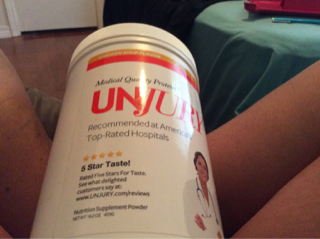
Your welcome !!! Just take the chill off milk and broth. The fair life milk has 13 grams of protein by itself. One scoop of the unjury has a 21 grams of protein. That really a good way to meet your protein goal . Good luck with your up coming surgery.
-
I really enjoyed the unjury chicken flavor protein powder. Would warm up a little fair life milk and broth was very good . This broke up the day in and day out of protein shake.