britt_lewis2011
Pre Op
-
Joined
-
Last visited
Everything posted by britt_lewis2011
-
Thanks for all the replies! It helps knowing that I'm not the only one out there. This can be a hard subject to talk to people about. Or it is for me anyway. I'm very sensitive and cry at the drop of a hat. I'm hoping meds and therapy will help with that as well. Good luck to you all too!! One day at a time. Sent from my iPhone using the BariatricPal App
-
I actually started with him and ended up having surgery at Georgetown with Dr. Eric Smith. He is fantastic and I truly love him!! Sent from my iPhone using the BariatricPal App
-
I'm almost 13 months post op and finally realizing I've been self sabotaging myself. I guess I've always been a binge eater but didn't recognize it as that when I was fat. I just thought I ate a lot. I finally seen a therapist last week and she diagnosed me with mild anxiety and depression. I got a prescription for Wellbutrin and started it yesterday. Anyone struggle with the same issues? Open for advice or just a friend going through the same thing! Sent from my iPhone using the BariatricPal App
-
I don't know about your insurance but I'm from Ky too!! Sent from my iPhone using the BariatricPal App
-
Final weigh in 271. 1 lb from my second goal so I'm pretty happy!!
-
Weight today is 271. Goal weight would be 250. Exercise goal would be 3 hrs per week!
-
Last week I weighed in at 276.6. This week I weighed in at 274.4. Wish I would have left my goal at 275 and I wouldn't be so disappointed! So glad the holidays are over.
-
274 goal was 275 new goal 270
-
282.2
-
284.6
-
Not excited about this week. Its shark week for me :/ 288.6 today.
-
IG : Ky_vsg15 follow me and I'll follow you back!
-
CW 288.8
-
Congrats. Doing amazing!!! Did you do anything different than your norm to break your stall?[/quote Increased my calories! Hard to do mentally for an overweight person who thinks your suppose to eat less.
-
Thank you! I really hope I am but trying not to get my hopes up. Just broke a 3 week stall so trying to stay positive. It is a great feeling! So good every week I fear the scale stopping.
-
I had mine 9/1 and I'm down 52 lbs since 1 week pre op but down 87lbs from my highest weight. I've dropped 2 pant sizes and around 2 shirt sizes. Highest weight 387 current weight 300
-
I'm in! Sleeved 9/1 current weight 300 goal weight by end of challenge 275
-
I had surgery 9/1!
-
I'm 9 days post op and really struggling with my protein intake as we'll as fluids. Could you drink on a protein shake all day long? Or should you only drink those at a meal or snack time? Open to any suggestions !!
-
I was sleeved on sept 1! I on a clear liquid diet until I go to my follow up tomorrow. I went to the bathroom 4 days post op thankfully! Regularly since then. Protein intake is pretty much at a zero. Water intake is probably half of what it should be. I'm really fighting the cravings tho. I'm sure it's just head hunger as I don't think I really need anything to eat. I just want it. I'm not progressing as we'll as I had thought. I also walked as soon as I came out of recovery. I've had a couple dizzy spells and I'm just weak. I do something for a few mins then feel the need to sit down. I'm hoping it's because my intake is so low! Ready to move to the next stage in my diet so I hopefully get back to going at my normal pace.
-
I'm day 4 post off and my gas was pretty bad yesterday. All I did was walk and took some gas x. Helped some and I had a bowel movement today so it's better. Good luck!
-
I'm 24 and 4 days post op! Gas pains are crazy intense but I had a bowel movement which helped. I still kinda feel like crap tho.
-
I'm two days post op and should be going home today. I could have went home yesterday but I was so nauseous the dr wanted to keep me again. I feel pretty good this morning. Still a little pain and a little nausea but not to bad. I will be glad to get home to my own environment tho.
-
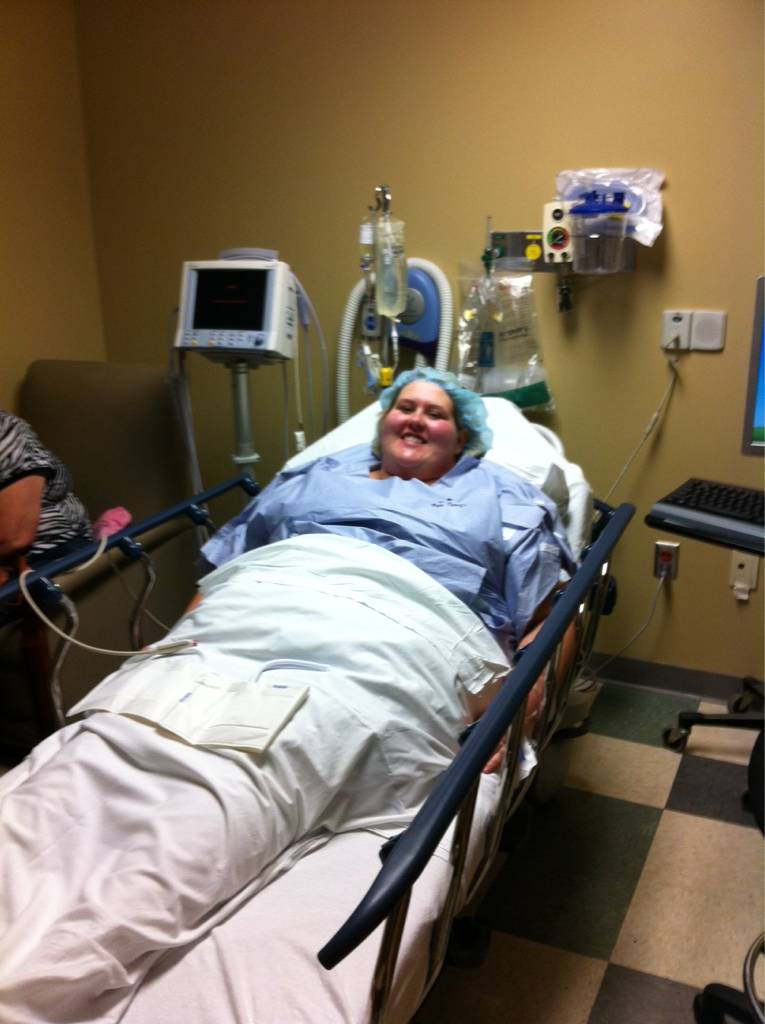
I'm waiting to be taken back to surgery!
-
Good luck! My surgery is Tuesday. What are you taking to the hospital with you? Looking for suggestions on what I should take with me.