630racoon
Gastric Sleeve Patients
-
Joined
-
Last visited
-
-
-
-
-
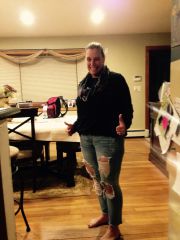
630racoon, a weight loss surgery photo album by 630racoon on BariatricPal. 6 photos in Before and After Gastric Sleeve Photos.
-
-
-
-
-
Are you exercising? For me Exercising is essential, my body just does not repond without it. My surgery was on July 16th. Are you watching your carb and fat intake? you should not be eating more than 5% fat or 5% carbs in your food choices, look and the label and see how much carb and fat and then straight across from the grams it should say % and should be 5 or less of each. DRINK YOUR Water and make sure your getting enough Protein daily. Please feel free to reach out to me if you have any questions, Good Luck Pamela
-
I made a roasted chicken and steamed some broccoli rab with 1/2 teaspoon of olive oil and pureed them together in added some chicken stock to soften just a bit more and a tiny amount of pecoreno Romano cheese and the Yummy factor was off the charts! Could only eat 3 oz's but hey I had lunch the next day. I am also a cottage cheese eater, so I also like 1/4 cup CC mixed with a spoon of no sugar apple/pear sauce, cold and refreshing.
-
100% agree! I used to be able to eat and eat and eat! I had sleeve on July 16th and let me tell you that decision saved my life. Now as ml75 said my stomach is as big as a short highlighter and I can only eat about 3-4 ounces and I am satisfied and full. I like many had tried every diet on the market, lost 10 pounds here and there and would eventuality gain i tall back! Knowing myself, I knew I needed structure added to my eating and got that from my sleeve. I am still in mushies stage and choosing to eat the lowest possible amount of carbs and fat I can find, which is soooo much easier than everybody thinks, you just have read your labels, its there in black and white. They stress Protein, protein, protein because when you go into weightless mode by eating protein first you don't burn muscle as you lose. I love the feeling of restriction after like 4 bites of food, to quote ml75, "no room, no binge" Working out on my treadmill everyday and have dropped 20 pounds already. Getting the sleeve is the easy part! Good Luck Pamela
-
-
I am wednesday too!!! How are you feeling? I am so excited but so nervous as well! I live in NY
-
sounds delicious, but I am going to use sweet potatoes instead of white potatoes.
-
July 16th!
-
no and yes, very excited but also nervous if that makes any sense. LOL I was very excited as my date was right around the corner then got put off to july 16th, so now more anxious to just get it done, but yes I am nervous wouldn't be normal I don't think if I wasn't. Pamela
-
-
July 16th, name is Pamela. Hello everyone. Had a june 25th date then my surgeon got called for jury duty and couldn't get off! I was mad, and then sad, went through 10 days of liquid wasn't so bad but to be deep into it then have to just stop. That is the only thing I will have to do again.
-
-
Be very careful going to Mexico! I have read too many nightmares! Plus you will hotel fare, flight there and back, is it really worth it.! Try and find a way to stay in the good ole USA!! Just my opinion though.
-
my bari surgeon ordered it right from his office they gave me this contraption that monitored my sleep and breathing through the night for 3 nights 2 tiny plugs in my nostrils and a finger clip. After the 3 nights gave it back to them they interpreted the results, so cost me noting. Have you spoken to your surgeon about it.?
-
Genuinely sorry about all your problems and I do hope you are well now. In my opinion, this is all the more reason to stay in the United States of America when having surgery, home to some of the best doctors in the world. I would never go to Mexico, if this surgery is something you know you NEED to be happy and health and for all of us here it is, then I would find a way to pay for it, never go to Mexico. But this is just my opinion and you know what they say, opinions are like gas, everyone has it and then they just fade away. Good Luck to you
-
I hear you mamaBear, don't want to have to much after I get home. My birthday is tomorrow and so last night my family took me out for my favorite food and last dinner, Sushi! Started my 2 week pre-op liquid this morning. surgery is on the 25th. I am also making meals to freeze for my hubby and my girls 13, 15 years of age. They both asked for Mac and cheese I found the panera bread recipe and it is soooo good, bacon and cheese quiche. I am also making a pot of my sauce so they can have Pasta and meatballs which I am also making and freezing, already made chicken cutlets which I cut up into strips. Once night they can have Breakfast for dinner, and one night pizza. DONE. lol Good luck to you! talk soon
-
-
-
My final leg starts tuesday! 2 weeks but I cannot eat oatmeal or applesauce ect..... I can only have all liquids. Oh gosh I hear you as far food funerals and cravings, but we have to keep in mind why we are doing this right? I would happy to be your buddy. If you would like to friend me please do and i will do the same. I do a lot of work on my computer so easy to find to reach out to when and if. my name is Pamela. Talk soon