Evolving
Gastric Sleeve Patients
-
Joined
-
Last visited
Everything posted by Evolving
-
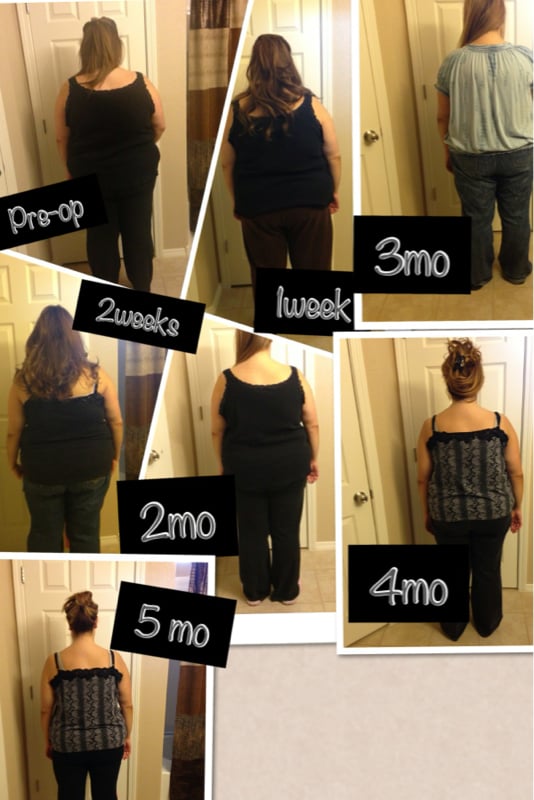
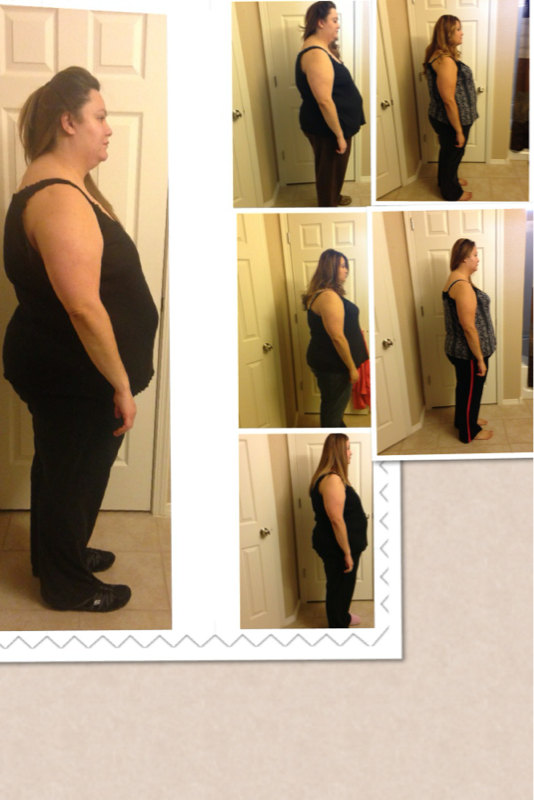
Wow!!!! Sent from my iPhone using VSTU look great Sent from my iPhone using VSTYay! Sent from my iPhone using VSTYay exciting!!!! Sent from my iPhone using VSTGreat job! Sent from my iPhone using VSTAmazing Sent from my iPhone using VSTWow!! Sent from my iPhone using VSTVery nice Sent from my iPhone using VSTYay!!! Sent from my iPhone using VSTAwww that's sweet thank you I'm sure u will do great' I'm always hard on myself so thank you Sent from my iPhone using VSTThanks Sent from my iPhone using VSTMmm sounds good! I did that too yesterday! 1 banana 1/2 frozen cherries Container of Greek yogurt Sent from my iPhone using VSTThank you I guess 10 lbs a month is what I average- better than nothing! Sent from my iPhone using VSTWell- guess I should join in and add mine- gulp.... 5 months sleeved today! Down 80- still feel like its not quite good enough as I can't really see the diff- I hold on to the fact that I'm smaller now so I should be able to see the next 80 or even 40.... I hope - I was a tight-not fitting- 26 now I'm at a 22 Sent from my iPhone using VST



Account
Navigation
Search
Configure browser push notifications
Chrome (Android)
- Tap the lock icon next to the address bar.
- Tap Permissions → Notifications.
- Adjust your preference.
Chrome (Desktop)
- Click the padlock icon in the address bar.
- Select Site settings.
- Find Notifications and adjust your preference.
Safari (iOS 16.4+)
- Ensure the site is installed via Add to Home Screen.
- Open Settings App → Notifications.
- Find your app name and adjust your preference.
Safari (macOS)
- Go to Safari → Preferences.
- Click the Websites tab.
- Select Notifications in the sidebar.
- Find this website and adjust your preference.
Edge (Android)
- Tap the lock icon next to the address bar.
- Tap Permissions.
- Find Notifications and adjust your preference.
Edge (Desktop)
- Click the padlock icon in the address bar.
- Click Permissions for this site.
- Find Notifications and adjust your preference.
Firefox (Android)
- Go to Settings → Site permissions.
- Tap Notifications.
- Find this site in the list and adjust your preference.
Firefox (Desktop)
- Open Firefox Settings.
- Search for Notifications.
- Find this site in the list and adjust your preference.