





theoklahoman
LAP-BAND Patients
-
Joined
-
Last visited
-
-
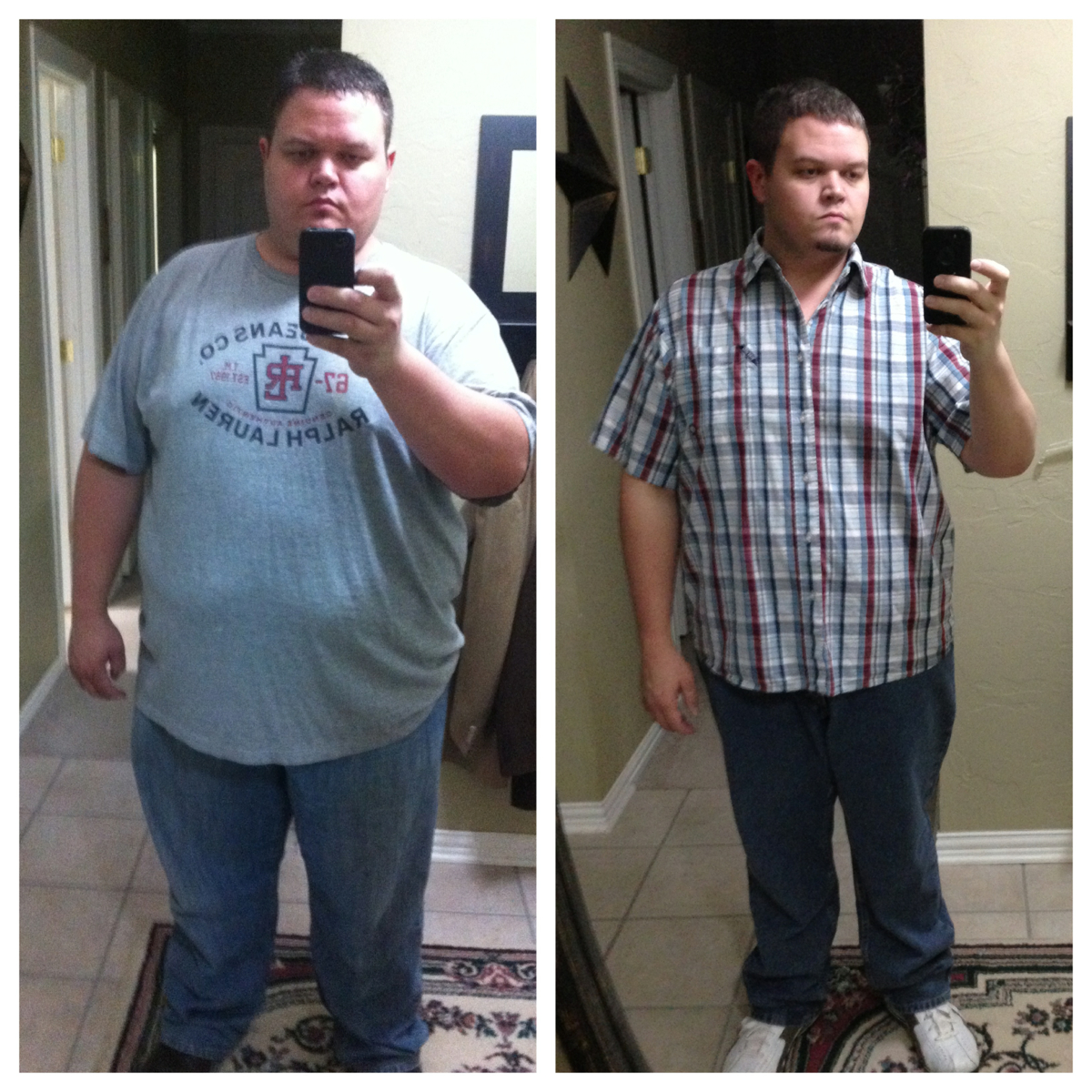
You made a great choice. I to am in OK, OKC to be exact. Went to Dr Alverez and he was awesome. 6 months out and down 97 lbs. zero complications.I am in OKC. I was self pay. Went to Dr Alvarez in Piedras Negras, Mexico. www.endobariatric.com had top notch care and zero complications. I am coming up on 6 months and have lost 97 lbs.Where in Mexico are you going? I went to Piedras Negras, Mexico.I had told a couple people that I was going to have surgery and of course they were negative about it. It only took that and I kept my mouth shut after that. Then after surgery once everybody was wondering what I was doing or how I was losing the weight I told them. I just didn't want to hear all the BS before the surgery. Surgery was the best thing I have ever did.It takes getting used to not eating a huge plate of food and sometimes a little frustrating because you want MORE. lol . You have to begin a new way of thinking as it relates to food. I am 5 months out and I want more sometimes but also find it rewarding that I can't eating like I used to. Know I now have this tool that will keep me in check and help me lose weight and be able to maintain it. Stalls will come. I have lost 96 lbs but have been at a stall for about a month. I have seem myself go down another couple pounds this past week. They will come but the weight loss will start again in time. Just think we didn't eat ourselves to the weight we got to in months it took years so we just have to be patient with it coming back off. Overall I wouldn't change anything. Best thing I have ever done.I was sleeved in Mexico with Dr Alvarez on 08/31/12. Best thing ever. I live in OKC.My feeling was the same as yours with the choice to go with Dr Alvarez. He is awesome and as long as you follow what he says to do you will do great. Had very little pain just a little with the large incision which went away quick. Have lost about 95 lbs so far. I feel great and so glad I will never be where I was before with my weight. The struggle is finally over and no more yoyo diets. You made a great choice with the surgery and especially the Dr. Feel free to PM me if you have any questions you are not comfortable posting here.
 I too went to Mexico and had my surgery with Dr Alvarez on 8/31/12. He is a great surgeon!! Would HIGHLY recommend him to anyone considering going to Mexico to get sleeved.I am thinking that after we are sleeved we can't go fill a glass up with water or whatever the liquid and gulp it down. Not even a half glass. We can only do a little at a time. We forget that when we used to drink how much we actually took in, in one sitting. Before surgery if i went out to dinner I could easily drink a glass or two of water and eat my meal. Now I don't hardly get any water in unless it's some before or well after eating.I am from Oklahoma City and I went to Mexico to have my surgery which was 8/31/12. I went to Dr Alvarez. www.endobariatric.com The cost was $8700 and included 2 night hotel stay and 2 nigh 3 day in hospital. He is an awesome Dr. I have lost 64 lbs since surgery. Have had absolutely no complications. I went there because my insurance would not cover the surgery so I was self pay.Doing good. Down 40 lbs since surgery on 8/31. Lost 30 during preop diet so a total of 70 since I started. So far so good. I just need to get off my butt and exercise.I 2nd Sweetsusie. My surgery was 8/31/12 with Dr Alvarez. All was great and has been smooth sailing. You picked an excellent Dr! Just follow the pre & post op diet instructions and you will do great.

Account
Navigation
Search
Configure browser push notifications
Chrome (Android)
- Tap the lock icon next to the address bar.
- Tap Permissions → Notifications.
- Adjust your preference.
Chrome (Desktop)
- Click the padlock icon in the address bar.
- Select Site settings.
- Find Notifications and adjust your preference.
Safari (iOS 16.4+)
- Ensure the site is installed via Add to Home Screen.
- Open Settings App → Notifications.
- Find your app name and adjust your preference.
Safari (macOS)
- Go to Safari → Preferences.
- Click the Websites tab.
- Select Notifications in the sidebar.
- Find this website and adjust your preference.
Edge (Android)
- Tap the lock icon next to the address bar.
- Tap Permissions.
- Find Notifications and adjust your preference.
Edge (Desktop)
- Click the padlock icon in the address bar.
- Click Permissions for this site.
- Find Notifications and adjust your preference.
Firefox (Android)
- Go to Settings → Site permissions.
- Tap Notifications.
- Find this site in the list and adjust your preference.
Firefox (Desktop)
- Open Firefox Settings.
- Search for Notifications.
- Find this site in the list and adjust your preference.