earth2terra
LAP-BAND Patients
-
Joined
-
Last visited
-
-
Chicken fajita pita from jack on the box order without cheese and beware of the extra chunk of pita stuffed inside the one holding the chickeny goodness, I can eat about 1/3 of the pita stuffed with all the chick
-
I'm in Texas but also doing my first 5k this Saturday! I'm so excited, it's an amazing feeling to think I can even run some of it! Good luck on your run and most important have fun!
-
-
-
Maybe be its the incline that's doing you in? I read that 1.5 incline closely resembles outdoors normal walking conditions.. Good luck hope it gets better soon
-
A little back ground ..I'm on week 5 day 1 of couch 25k, it's going great and going to do color in motion fun run feb2.. Sooooo excited. I run every other day while at home with the kiddos two days a week I work double shifts as a baggage handler for united so exercise after or before work isn't going to happen believe me I get plenty while I'm there. So finally here's the question.. I'm looking for some at home strength training wether it be a routine or a video I can do on the days I run , I realistically I have to get all my excercise in on those three days, is this feasible and what are some recommendations? I tried it yesterday doing Jillian michaels trouble zone shred about 5 hours before my run and I feel like I really struggled through because of it
-
-
In addition to the foot fat loss there's also the cant reach the gas petal syndrome.. My husband and I alternate use of our work car and he's asked me recently why I keep moving the seat around... Apparently I've lost back fat or bottom of the foot fat or something it seems like I'm having to scoot closer and closer to the steering wheel to reach the gas
-
In the 2.5 since surgery I've lost 40lbs, of course 15 of that was in the first two weeks but... Don't get me wrong I'm not at all upset with my loss, I just want be sure I'm doing what best for my body. I started couch to 5k this week so that's got me thinking and trying piece all the puzzle pieces together for the long term
-
Does anyone one know the science behind starvation mode? I realize our bodies are functioning different now but at what point are we consuming to few calories? Personally I'm 3 months out and generally get about 650cals and 70ish grams protein... if I do the calculations this isn't even half of my basal metabolic rate( the supposed number of cals my body would burn lying in bed all day) I believe I could up my intake a bit I'm just scared to do so I suppose, any advice? Similar concerns?
-
-
-
I made it early ! 198.5 and sooooooooo excited !
-
Does that include upping calories as we and to what level approx?
-
The upside to this is though you may feel weaker on weights how much does your loss so far affect what you can do cardio wise? For me I'm down 50 with preop and I can definitely tell the difference and yesterday was my first day back to work ( I'm a baggage handler for united) it was soo much easier climbing in and out of the planes I was blown away
-
Doxieville ( and any others ) that would like to be friends on MFP I'm earth2terra on there too and if you want to and have the time feel free to critique my food logs I've been pretty good about keeping them and they might as well do some good
-
I'm with you too week 6 out and have been up and down the same 3 lbs since week 4, I feel like the scale will never budge! It also doesn't help that my crazy scale will give 3 different readings with in 10 seconds. I'm wondering if I need more calories I'm getting about 600 daily an 60 grams protein BUT I guess I've got myself brainwashed that more calories is what got me to this point..?
-
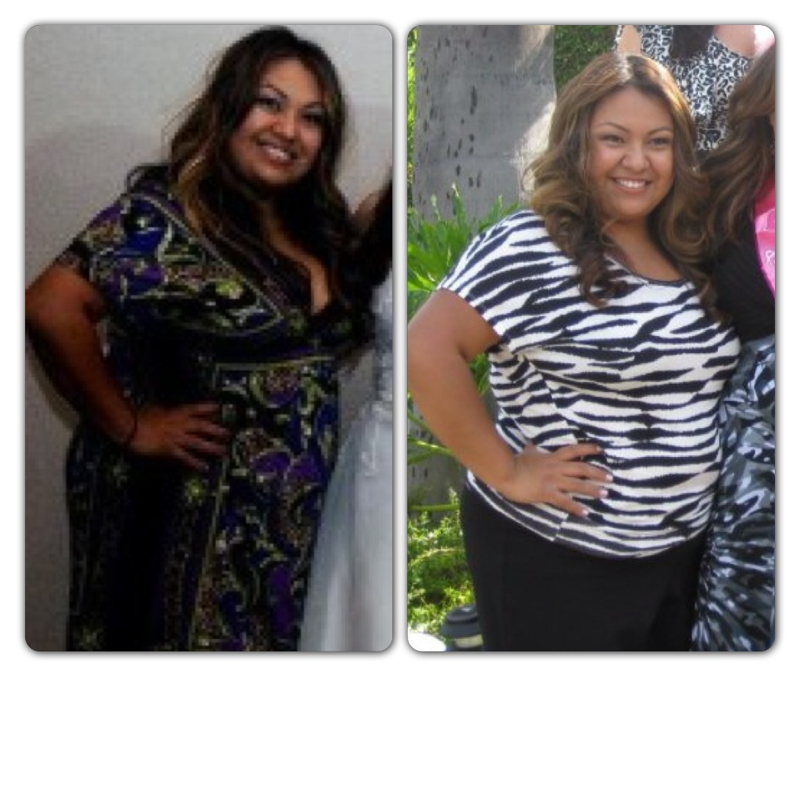
Wow the picture at the bottom of my post isn't me .. I have no idea how it got there or how to remove it... Anybody had that happen? Or know how to fix?
-
Good luck to you ladies! We should start an almost to onederland group, I'm 12 away myself ! What are all of your diets like right now? Calorie and carb ranges? I've asked the on the board before and gotten alot of " I only count protein" type answers but its best for me to track all the aspects of this new way of eating

-
I am one month out yesterday and down 22 lbs post op and 45 total . Right now I'm averaging between 400-500 cal a day but I'm wondering if this should be higher. I'm getting in all my water and about 60 g of protein. I know every docs recommendations are different but I'm wondering what is working for each individual. My loss has slowed ALOT the last couple weeks and I realize thus is the dreaded three week stall but I want to be sure I'm not putting myself in mode