Kallets
LAP-BAND Patients
-
Joined
-
Last visited
-
-
-
-
-
-
-
-
This is my first monthly challenge. After seeing how motivated and how well people do with this, I figured I would give it a try! Name, real or screen~ Stella Goal weight for April 30th~ 230 Weight on April 1st~ 240 Age~ 29 Dietary goal for April~ drink all of my water! Exercise goal for April~ cardio 4 days a week Personal goal for April~ have a more positive outlook on everything Date banded~ 6/13/12 Total weight loss since banding/pre op diet~ 75 total weight loss 45 lbs pre-op 35 lbs post op What about spring do you like? Being able to go outside and run!
-
-
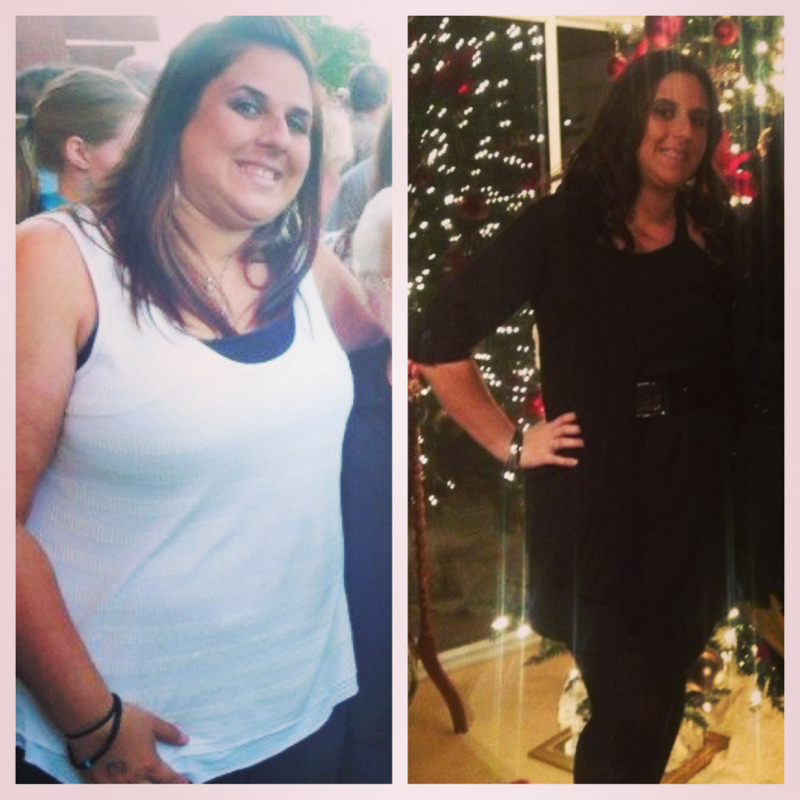
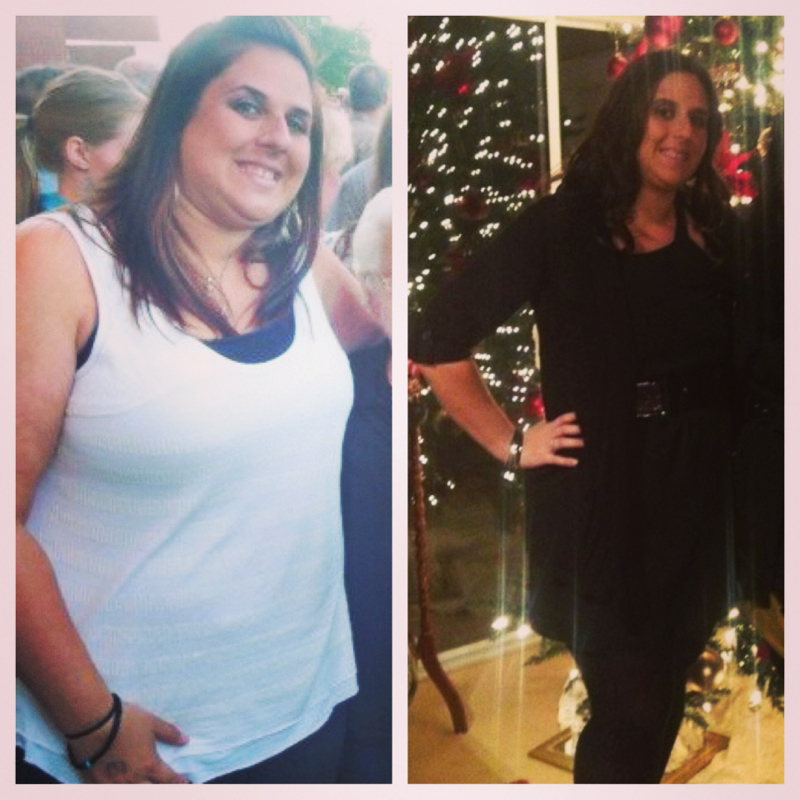
The after is from Christmas time. I've lost more since then but am waiting. Lost 35 pre op and 40 since surgery 6/13/12

-
-
-
Thanks everyone!
-
Well after 9 months, an allergy to surgical glue, getting sick after everything I ate, visit after visit to the surgeon and er, realizing the band was too tight, and going on and off liquids, I think I've finally found the green zone! There's hope!!
-
Thank you!!
-
Thank you everyone!
-
Banded 6/13/12....the after pic is from 12/28/12. Still got work to do but I figured I would share

-
I'm pretty sure day 3 and 4 were the worst for me
-
Trust me, I'm chewing my food. I haven't had an issue until the last couple of weeks. I see the surgeon tomorrow. Good luck on Friday. I will send good thoughts your way.
-
I can eat soup and drink. They called the surgeon and he did not request the barium swallow, just an x-ray but I think that might be coming tomorrow when I go see the surgeon.
-
Hi everyone. I was banded in June 2012. Just wondering if anyone has had this happen to them. I haven't had a fill since dec and everything was going great until about 3 weeks ago. Food won't go down no matter how small or how much I chew. I've been to the doc and was rushed to the er last night. By the time I got to the er I was done getting sick and basically they hooked me up to ivs and I'm going back on Monday. At the er they did an X-ray and said everything looked fine with the band (I went to the hospital where I had surgery). I was just wondering if this has happened to anyone else.
-
I woke up today super sick....first time since surgery in June. I want to go to patient first. Are there medicines I should tell them to avoid? I can't get ahold of anyone from my surgeons office since its Saturday. Thanks
-
I have had a fill, 3 cc. I don't eat anything not allowed by the doc and I count/measure portion. I go back again on August 20 for another fill. Thanks for the ideas.
-
Hi everyone. I'm pretty sure I hit a plateau and just was wondering what you found to work to help overcome and continue with weight loss. I am down 56 pounds overall, about 20 since surgery on 6/13. I work out and usually do something different every couple of days so I don't get tired of the same stuff and I track on my fitness pal. Thanks for your suggestions!
-
Dr. Mo was my surgeon