Skip to content
View in the app

A better way to browse. Learn more.

BariatricPal

A full-screen app on your home screen with push notifications, badges and more.

To install this app on iOS and iPadOS
  1. Tap the Share icon in Safari
  2. Scroll the menu and tap Add to Home Screen.
  3. Tap Add in the top-right corner.
To install this app on Android
  1. Tap the 3-dot menu (⋮) in the top-right corner of the browser.
  2. Tap Add to Home screen or Install app.
  3. Confirm by tapping Install.
  • Appearance

Join BariatricPal free

  • Ask your own questions
  • Reply and follow topics
  • Message other members
  • No cost, no spam

TweetyBird

LAP-BAND Patients
  • Joined

  • Last visited

Everything posted by TweetyBird

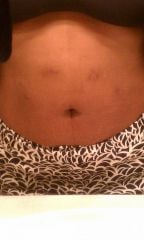
  1. Images added to a gallery album owned by TweetyBird in Before and After Gastric Sleeve Photos
    janesehutchinson, a weight loss surgery photo album by TweetyBird on BariatricPal. 9 photos in Before and After Gastric Sleeve Photos.
  2. Great I have all the above ingredients except the yogurt. I'm picking that up today... That's for this recipe...
  3. Girl that's crazy, pray for her and keep it moving. Pray that she never have to experience what you and some of us have had to go thru. But you reap what you sow so just try to be there for her when the times yet rough because they will get rough.
  4. I totally agree! You have made awesome progress, if no one has commented on it they are either blind or jealous. LOL
  5. I was sleeved on August 13th. Wasnt as bad as I thought it was going to be.

Account

Navigation

Search

Search

Configure browser push notifications

Chrome (Android)
  1. Tap the lock icon next to the address bar.
  2. Tap Permissions → Notifications.
  3. Adjust your preference.
Chrome (Desktop)
  1. Click the padlock icon in the address bar.
  2. Select Site settings.
  3. Find Notifications and adjust your preference.