PhilC
LAP-BAND Patients
-
Joined
-
Last visited
-
PhilC, a weight loss surgery photo album by PhilC on BariatricPal. 1 photo in Member Photo Gallery.
-
-
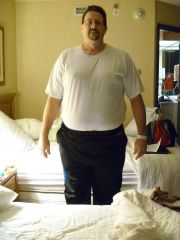
1 year today, im doing OK, I was on track to really kill it and lose all the weight i wanted to but had a hernia that stopped my training the last 2 months. So it was back to surgery in Dec to fix that. I plan to lose the last 20# next year after Im healed and back to training. WOuld I do it again is a popular question? YEP, do I do everything right all the time, NOT BY A LONG SHOT, but the band has helped make it possible to get by the hard times, as everyone knows "you have to work the band"! So to everyone a year later keep up the work, you can do it!!! 1 YEAR AGO(2weeks after LB surgery) Im on the far right with my best friends, plan to retake this this year!! APPROC 6-7 months in 1 YEAR LATER
-
-
100# today!!!!!, 43 weeks since my Dec 17th 2010 surgery, I have 15 more to go. I have struggled mostly because I am exercising so much training for a triathlons its been hard to get in the right nutrition and calorie mix. I have had 2 adjustments in that time, I believe I have really worked the band, I could proabbly use a small adjustment now but im holding off for now. Anyway, just keep at if you are struggling, it takes time, we didnt get fat overnight it wont be undone overnight.
-
-
I love mine but I am closing in on the final 5-10# and find that Im not using it like I did at first, dont get me wrong I still use it regularly but i dont rely on it as much. I would buy one again if that means anything. Look for them on Craigslist, I routinely see them for under $100 even the SP!
-
Ive started training for a Sprint triathlon and Ive noticed this type thing as well, weird, Ive only had 2 fills with a totla of approc 6cc in a 10cc band, at my last check up they were on the fence as to whether i needed an adjustment, I wanted to wait because with burning between 4000-4500 calories per day it can be a struggle to get in all the required nutrition. Ive gone back to food logging to compare and see if Im off track. So keep up the good work.
-
Thats my goal as well, 100# by Dec 17th 2011.
-
Me too. Im going for an adjustment next week. Keep up the work i know we will break thru!
-
Im in your spot as well, time for an adjustment
-
I also believe you need resistance traing, it will keep your metabolism up for longer periods after your workout, 30 min of cardio a day is plenty. usually when I find myself at a plateau its because im in too much of a routine, so I mix it up for a couple weeks.
-
How many fills have you all had? 1 fill How many cc's are in your band? 4cc What kind of band & what size is it? lapband 10cc Do you feel like you are at your sweet spot? close, my next appt is may 25th I will have them add .5-1cc
-
I havent given up bread, you just have to avoid the real doughy kind, also as far as being stuck it isnt that bad, but once it happens you will know the feeling before you get there next time, just remember this, EAT SLOWLY, CHEW WELL!!
-
I was 12/17/2010 and Im down about 45#, I think we are on the right track, Im shooting for 100# by surgery anniversay.
-
-
Support comes in many forms, its not always rosey! Sometime we all need a Swift kick in the arse!!
-
Im not 100% sure this was directed at me, I do not believe Im being judgemental, the OP was offended by some post, i was/am simply pointing out in an open forum, they will get all responses. Of course we all struggle with weight. BTW everyone judges at some point, its life!!
-
The normal cycle of fills, restriction and weight loss is as follows: 1. The patient's Lap-Band constricts when the patient receives a fill. Swelling for a few days after receiving a fill is very common. Many doctors require a patient to go on a liquid diet for a day or two after receiving a fill. A fill may have a “Delayed Action” of up to 4 weeks. A “Delayed-Action” means that the fill may not become effective for up to 4 weeks after the fill. That is why the ALLERGAN protocol states that fills should not be performed on patients who will not have access to medical care for at least two weeks after a fill. 2. The patient's stomach capacity is lessened as a result of the restriction caused by the Lap-Band. 3. The patient loses weight because they cannot eat as much food. 4. The residual fat-pad between the inside of the Lap-Band and the outside of the patient's stomach reduces in size because of the overall weight loss in the patient. 5. The reduction of the residual fat-pad causes the Lap-Band to become loose again. 6. At that point, the patient needs another fill, because the Lap-Band is loose, and the patient has a loss of restriction, which allows the patient to eat larger amounts of food. 7. The patient receives another fill and the process starts all over again. Most Lap-Band patients receive several fills to adjust the Lap-Band as their weight loss progresses, and there is less and less residual fat-pad between the inside of the Lap-Band and the exterior of the stomach wall. Once a patient has lost all of their residual fat-pad, fills become less common. As the Lap-Band patient progresses in their weight loss, the effect of very tiny fills (Less than .2ccs) becomes greater and greater.