





Skip to content
View in the app

A better way to browse. Learn more.

BariatricPal

A full-screen app on your home screen with push notifications, badges and more.

To install this app on iOS and iPadOS
  1. Tap the Share icon in Safari
  2. Scroll the menu and tap Add to Home Screen.
  3. Tap Add in the top-right corner.
To install this app on Android
  1. Tap the 3-dot menu (⋮) in the top-right corner of the browser.
  2. Tap Add to Home screen or Install app.
  3. Confirm by tapping Install.

21-Feb-2021

** From this thread: **

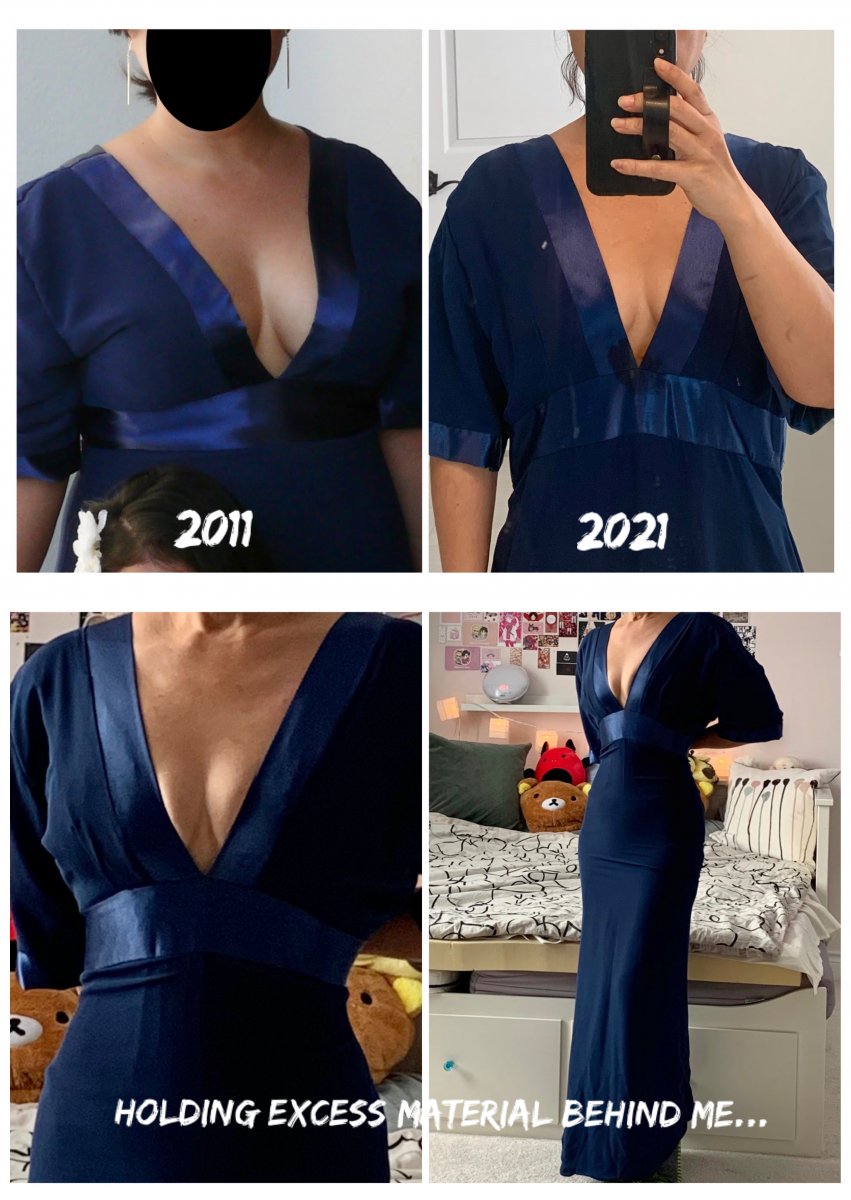
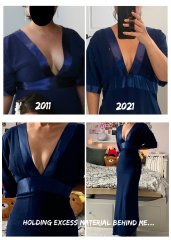
Couldn't find enough binder clips so am holding the material in the back myself and got The Kid to take my picture (she thinks I'm wacko).

Doesn't look bad, eh? Decided I'm going to go get it taken in and have the sleeves removed (or maybe just tightened? they look a little matronly they way they are...) And then I'll have yet another dress that I can't wear anywhere!

P.S. Check out my boobs! Gotta love how squishing them makes them look bigger, lololololzzzzz. 

  • From the album:

    ms.sss OOTDs

    · 138 images

    Account

    Navigation

    Search

    Search

    Configure browser push notifications

    Chrome (Android)
    1. Tap the lock icon next to the address bar.
    2. Tap Permissions → Notifications.
    3. Adjust your preference.
    Chrome (Desktop)
    1. Click the padlock icon in the address bar.
    2. Select Site settings.
    3. Find Notifications and adjust your preference.