






By ms.sss
- 1,234 views
- View ms.sss's images
In attempt to address the growing cabin fever in our household (and because it was such a sunny cloudless day yesterday), we decided to take a family road trip to the....Liquor Store. LOLOLOOLzzzz.
But not just any liquor store, but the downtown, lakeshore-facing flagship liquor store for all of Ontario*, natch.
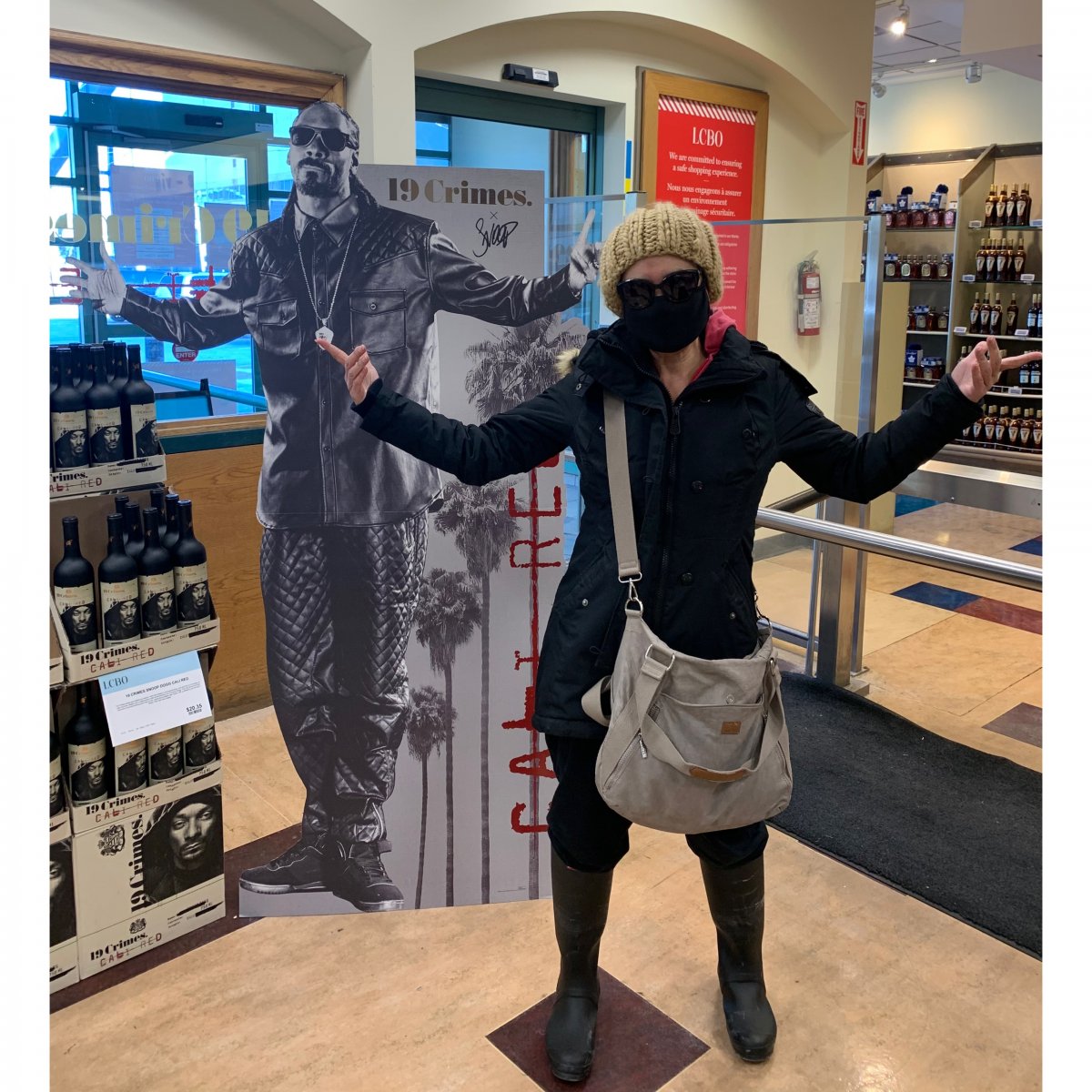
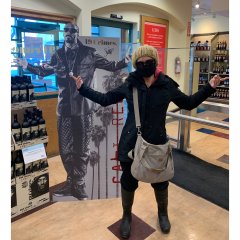
This should have been a pic of both me and the Kid, but Mr. was embarrassed to be seen with us and left the area quickly before we could coerce him to take our pic (he really should be used to our shenanigans by now).
So yeah, that's me and Snoop Dogg, lololzzzz. Who'd of thunk he had a line of wines, haha. (That cardboard cut out was just screaming to be taken a pic with!)
* <!--- BEGIN Breakout FYI --->
In Ontario, all liquor sales and distribution is controlled by the Provincial government. Outside of small batch breweries/wineries/distilleries, you can only buy liquor/beer from government owned and controlled retail liquor stores. On the bright side though, since the government controls it, the stores were deemed an essential service, and have stayed open throughout pandemic....AND they now have same-day delivery. The only thing though is that they introduced Monday closures province wide, which means that Sunday are really BUSY, lol.
<!--- END Breakout FYI --->
Recommended Comments
Join the conversation
You can post now and register later. If you have an account, sign in now to post with your account.