





By ms.sss
- 1,082 views
- View ms.sss's images
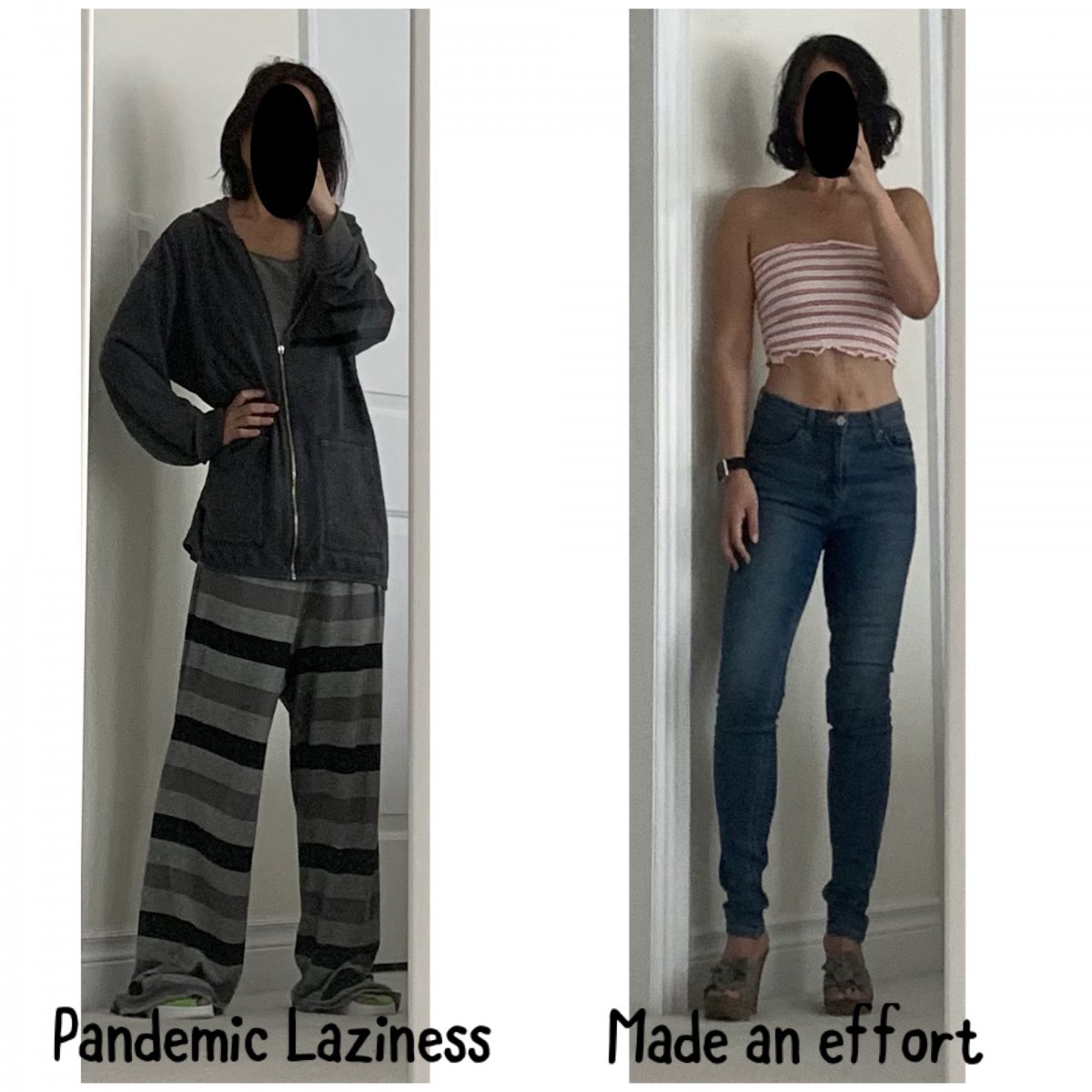
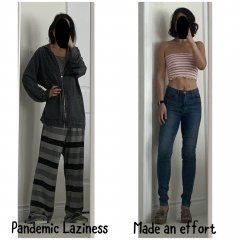
I am incredibly restless and antsy today. I think its because the sun is shining but its still too cold to hang out outside and I'm ACHING for summer to arrive. That and I have had like ZERO real exercise/activity in the past week cuz of a sore toe. Sooo...decided to GET DRESSED. lol. Put on a pair of jeans (first time in weeks), did my hair and makeup (first time since xmas), even shaved my legs (first time since summer!). Put on a tube top to feel summer-y, but i got too cold soon after this pic and put on socks and a sweatshirt. Sigh. The Kid when she saw me come out of my room in this outfit : "My, you look skanky today. I like it." She cracks me up. ❤️ [Click and drag to move] ? Left pic: one of my stay-at-home-pandemic-uniforms. Right pic: Skankified.
Recommended Comments
Join the conversation
You can post now and register later. If you have an account, sign in now to post with your account.