




Skip to content
View in the app

A better way to browse. Learn more.

BariatricPal

A full-screen app on your home screen with push notifications, badges and more.

To install this app on iOS and iPadOS
  1. Tap the Share icon in Safari
  2. Scroll the menu and tap Add to Home Screen.
  3. Tap Add in the top-right corner.
To install this app on Android
  1. Tap the 3-dot menu (⋮) in the top-right corner of the browser.
  2. Tap Add to Home screen or Install app.
  3. Confirm by tapping Install.

Pics

Ok I am trying this so I can put before pics in here... Beware LOL
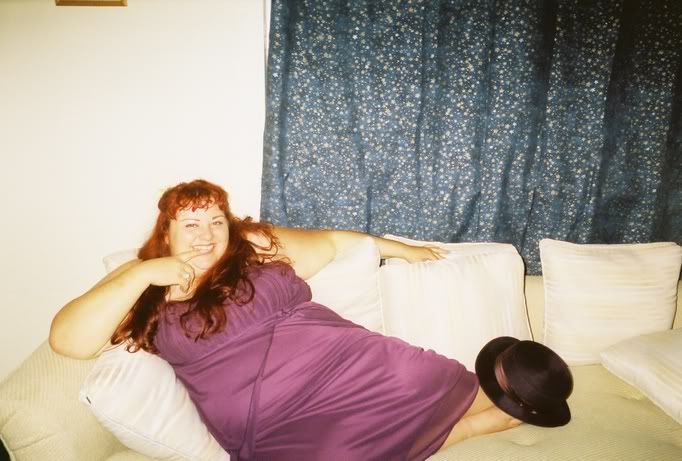
 

couchfinger.jpg

HEHEHE.....OK it works!!!! These are wedding pics..10/31/05 LOL the last time I really let people take whatever pics they wanted of me.

All the guests had cameras... Cuz ya know as a fat girl pics have to be orchastrated to NOT see fat and the dreaded double chin.
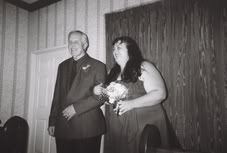
Dadwalkingdownisle.jpg

Photo taken out due to...LOL Cyber stalking!!! Do not want to share that photo with the world!!!

2 Comments

Recommended Comments

Meow=^..^=

LAP-BAND Patients

Ok I am trying this so I can put before pics in here... Beware LOL

couchfinger.jpg

HEHEHE.....OK it works!!!! These are wedding pics..10/31/05 LOL the last time I really let people take whatever pics they wanted of me.

All the guests had cameras... Cuz ya know as a fat girl pics have to be orchastrated to NOT see fat and the dreaded double chin.

Dadwalkingdownisle.jpg

Photo taken out due to...LOL Cyber stalking!!! Do not want to share that photo with the world!!!

Teresita

LAP-BAND Patients

You are beautiful in every single way.....words can't bring down noooooo (christina argulara) I love that song. I cried the first few times I saw the video. It is not always other peopls words but our very own words. You are beautiful....believe.....say it and live it.

Guest
Add a comment...

Account

Navigation

Search

Search

Configure browser push notifications

Chrome (Android)
  1. Tap the lock icon next to the address bar.
  2. Tap Permissions → Notifications.
  3. Adjust your preference.
Chrome (Desktop)
  1. Click the padlock icon in the address bar.
  2. Select Site settings.
  3. Find Notifications and adjust your preference.